---
title: "27/9/21 Release Notes"
description: "Note: Please contact support to organise an update after 27/9/21."
canonical_url: "https://support.caremaster.com.au/articles/27921-release-notes-oUxnR57y2y"
md_url: "https://support.caremaster.com.au/articles/27921-release-notes-oUxnR57y2y.md"
---
# 27/9/21 Release Notes
**Note: Please contact support to organise an update after 27/9/21.**
**Payroll and Invoicing Permissions Overhaul**
The biggest change in this update is the ability to specify which admin users can see payroll and which ones can see invoicing. This can be done through the new Access Permissions page under Admin that lists all users and their applicable permissions.
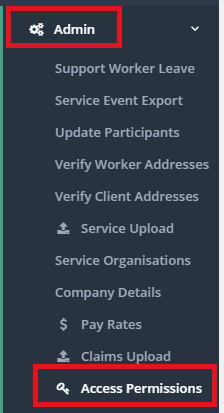
When you are next updated, one administrator user will be updated to include the "Assign Roles" permissions - this person can then log in and adjust who can see the payroll sections and who can see the invoicing sections. They can also assign the "Assign roles" permission to other admin users.
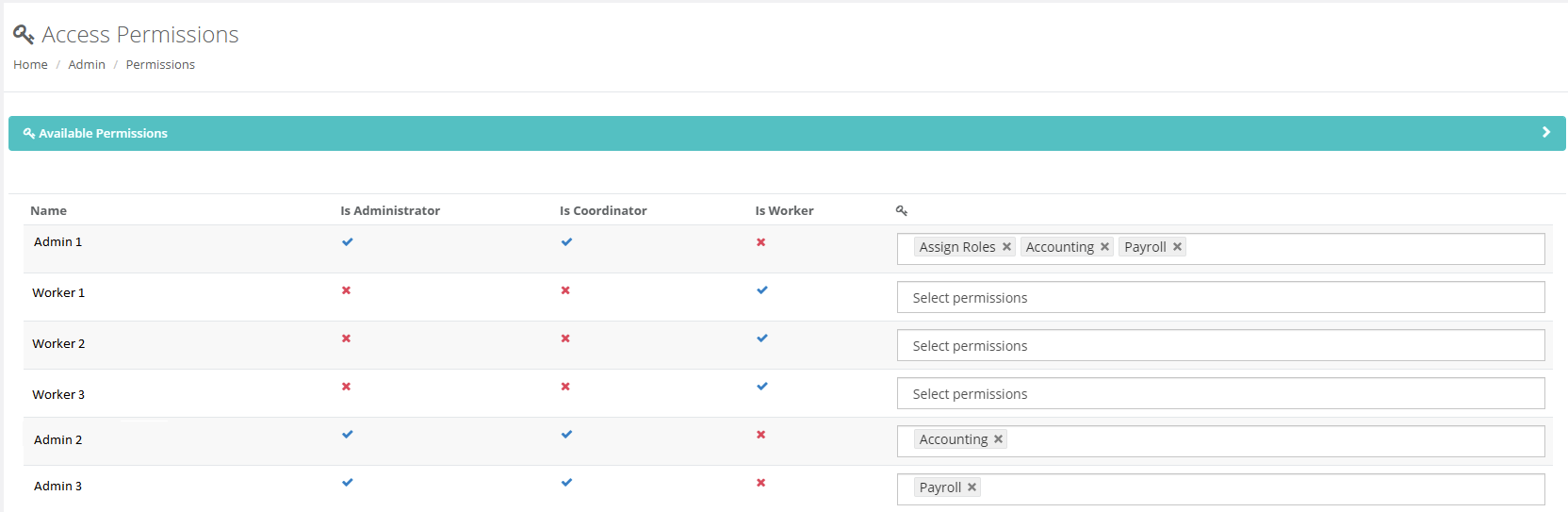
For example, in the screenshot above Admin 1 can assign roles and see both invoicing (accounting) and payroll pages. Admin 2 can only see invoicing (accounting) and Admin 3 can only see payroll pages.
**Reworked MYOB Accoutright Payroll and Invoicing**
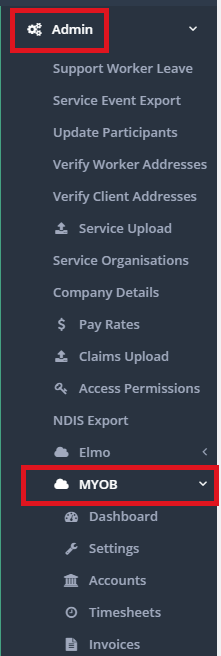
We have removed the existing MYOB Payroll and Invoicing reports in CareMaster and replaced them with a new way to generate the payroll and invoice text files to import in MYOB Accountright. Provided you have set up the payroll categories correctly. the payroll export uses the SCHADS award rules for rate and allowance generation.
\
For more information and setup steps, refer to these pages:[How to run MYOB Accountright Invoice Export?](https://sostg.freshdesk.com/a/solutions/articles/51000123768)
[How to run MYOB Accountright Payroll Export?](https://sostg.freshdesk.com/a/solutions/articles/51000123769)
**Elmo Payroll**
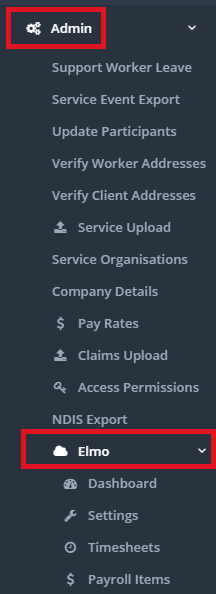
We have added a Elmo section into CareMaster that allows you to upload pay elementsthat you can assign that will allow you to generate both a payroll file for upload into Elmo. Provided you have set up the pay elements correctly, the payroll export uses the SCHADS award rulse for rate and allowance generation.
\
For more information and setup steps, refer to this pages:[How to run Elmo Payroll Export?](https://sostg.freshdesk.com/a/solutions/articles/51000221736)
**Custom Gender Types**
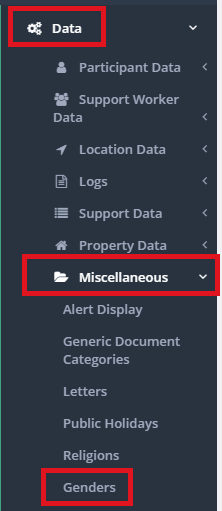
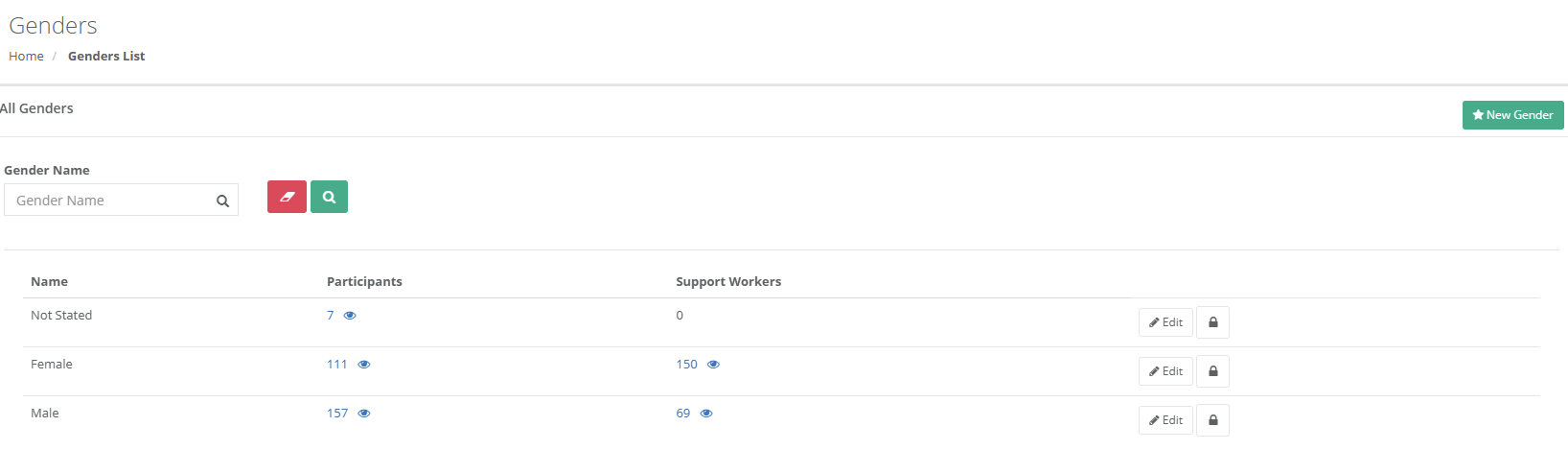
You can now add/edit the list of possible genders to select from in both worker and client records and their respective new wizards. You can do this by going to Data -> Miscellaneous -> Genders.
**Reports**
1. We have added a new HCP report under Reporting -> Clients/Participants called Home Care Package Participant List that lists all clients with HCP ticked on their record with their package information entered
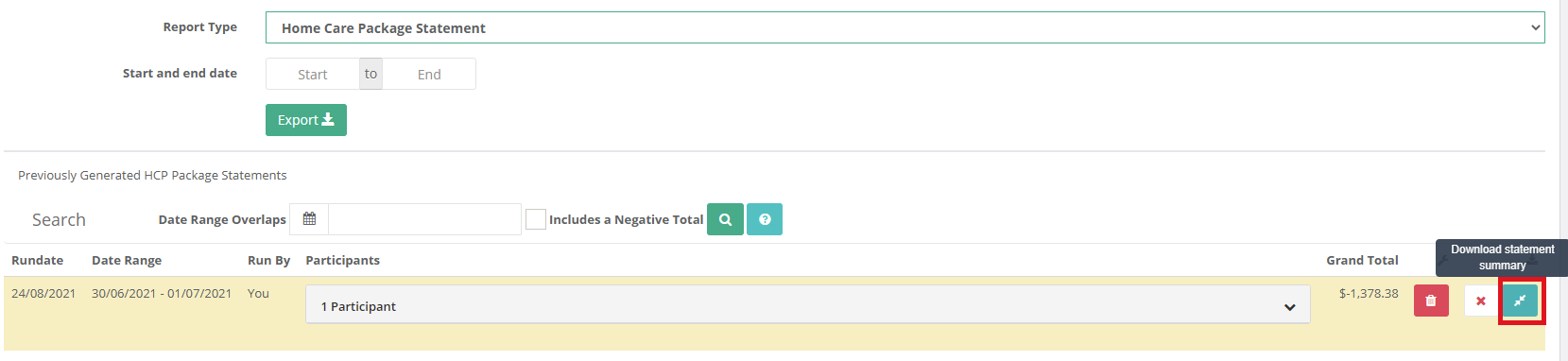
2. The HCP statement under Reporting -> Account has been adjusted to include transaction notes on the statement, you can also download a summary report of every client included in the statement after you have run the statement.
3. Worker hours summary report now only counts group hours once if worker is assigned to multiple clients for the same start and end time.
**Staff/Volunteers -> Timesheet Export**
We have removed the 500 record limit for the timesheet export when on the Staff/Volunteers -> Timesheets page. This only applies to a filtered list of timesheets.
**Client/Participant Records**
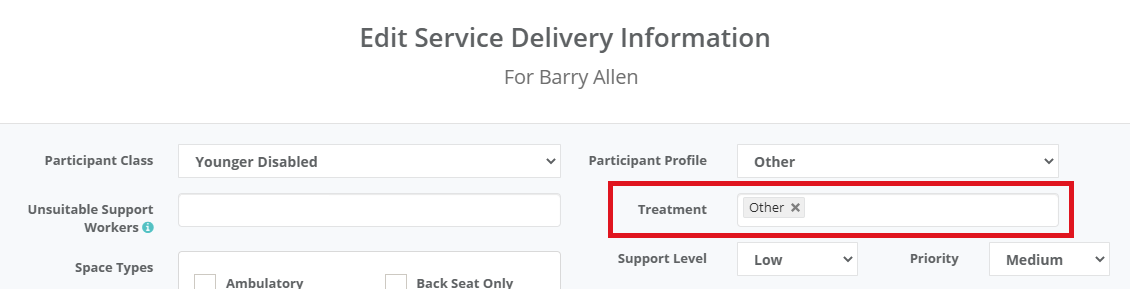
You can now select multiple options for the treatment field in a client's record.
**Alerts**
1. Plan End date alert now shows which funding limit is expiring for those clients with multiple funding limits.

2. NDIS Worker Screening alert has been updated to not include inactive workers.
const attachment_error_image = (attachment) => { const parentElement = attachment.parentElement; const defaultIcon = \`${attachment.dataset.extension}\`; parentElement.innerHTML = defaultIcon; };