How to add additional leave request types?
You can set up leave request types (annual, sick leave, domestic etc) for the purposes of rostering (instructions below), but it will not actually pay the workers, as this is an HR related task that Care Master does not handle at this time.
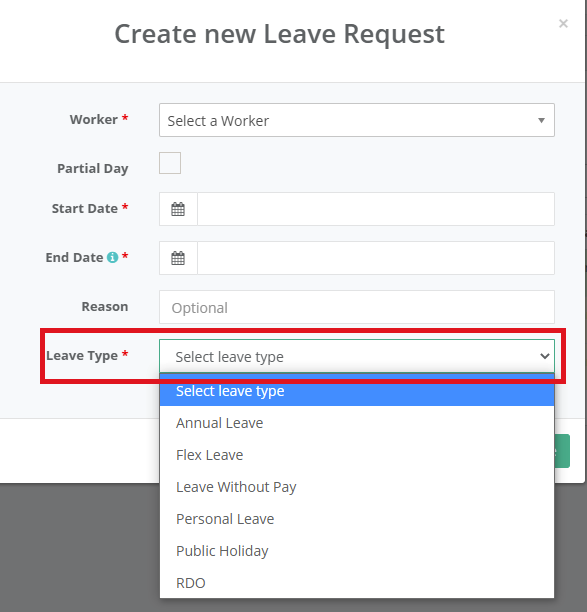
By default, we have 4 leave types set up in CareMaster:
These can be selected in the Staff/Volunteers → Leave Requests section OR in the worker app when submitting a leave request.
You can add to these leave options by going to Data → Support Worker Data → Timesheet Events.
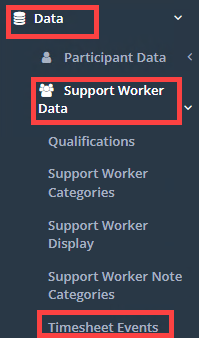
Once here you would click on Add New Event or click New, then enter in the leave details.

You need to enter in an event name and tick the Leave box at a minimum then click Save.
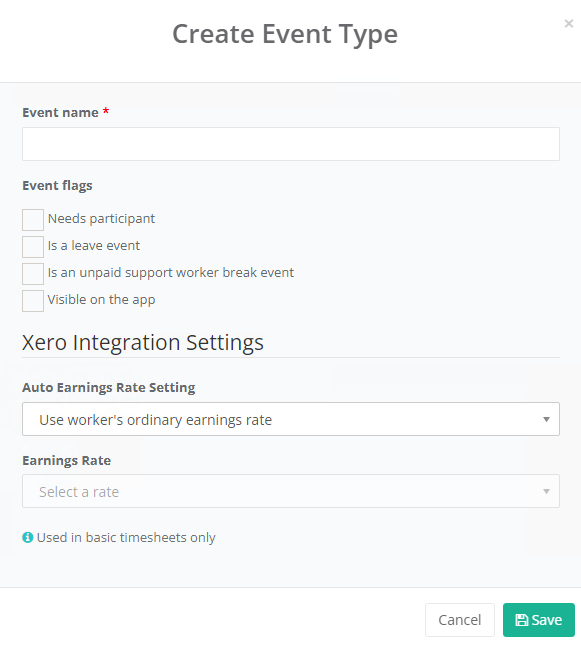
This will ensure it is now added as an option in the leave type dropdown in Leave Requests.