
How to add an adjustment to a generated HCP statement?
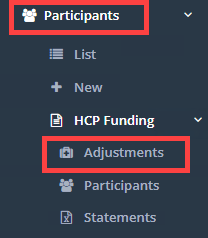
After you submit your statements data, Medicare may respond with a list of adjustments to be made to previous statements. To add these adjustments, visit Participants → HCP Funding → Adjustments. Medicare Adjustments are added on a per-month basis.
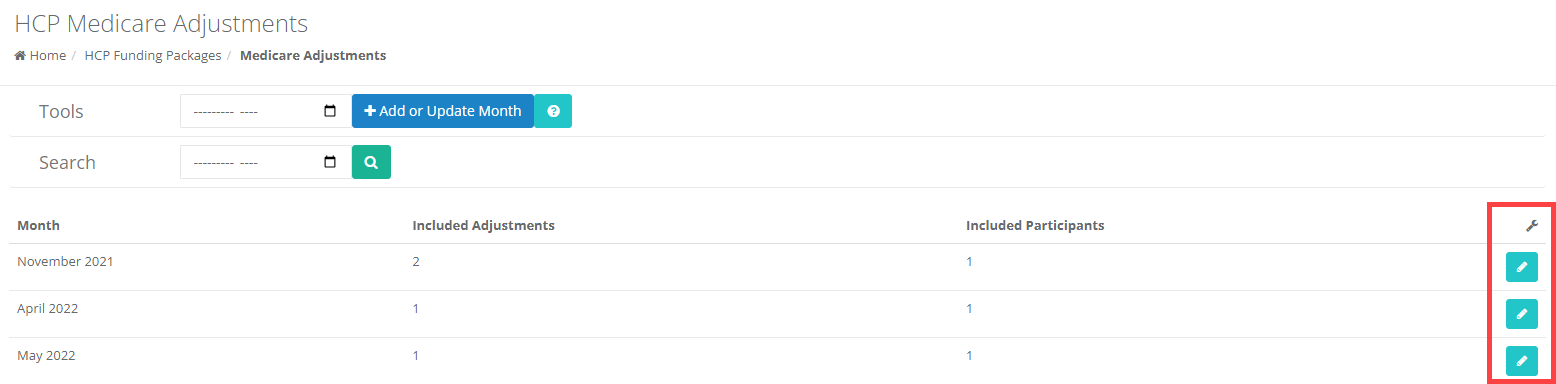
Select the month you want to update:
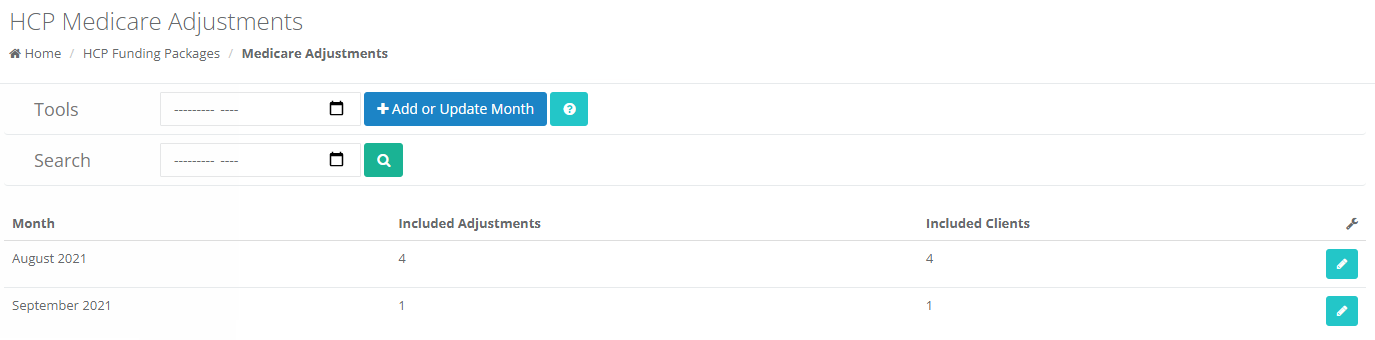
When editing or creating adjustments for a month, you will see a list of Clients that have been prepared for HCP statements or that have a pre-existing adjustment in the period you are editing, along with any adjustments already added for that month. For each Client, you can click  to add a new adjustment, or
  next to any adjustments you want to remove.
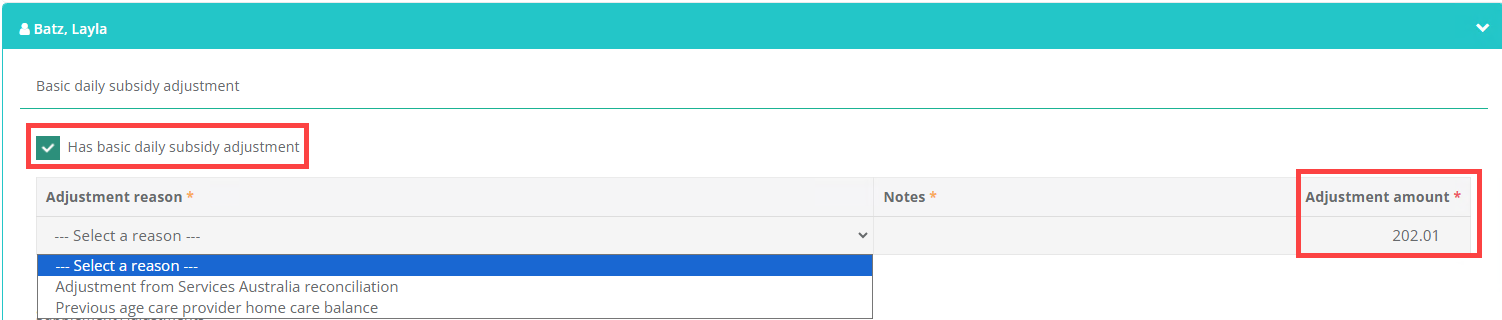
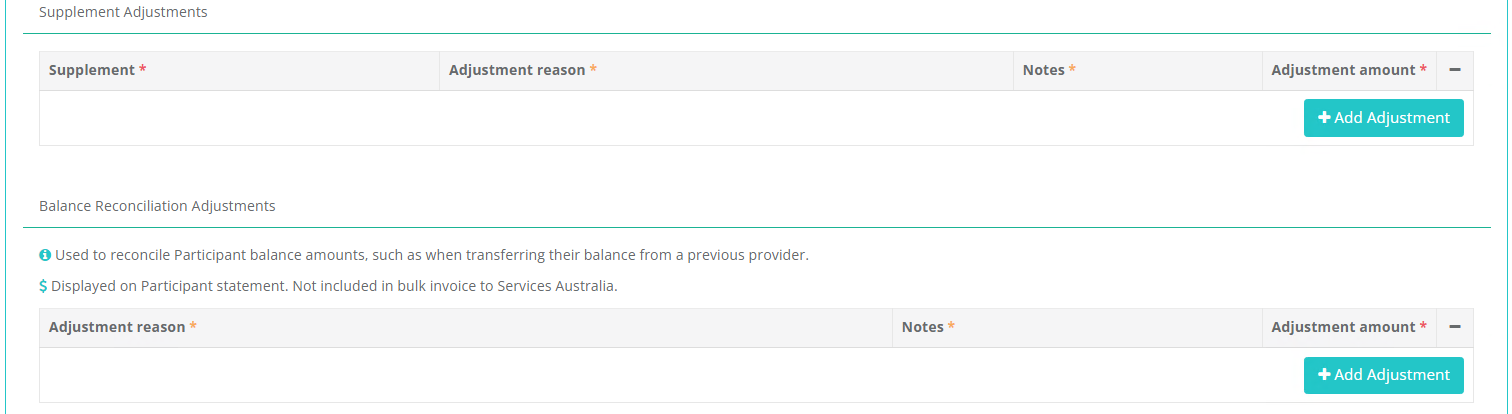
Once you are happy all adjustments have been added, click on Save Adjustments at the top of the page.
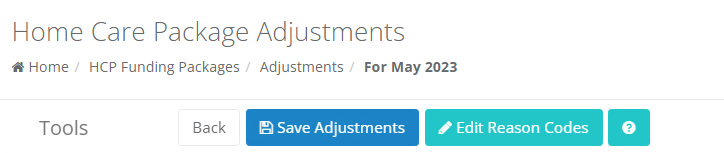
There are many types of Adjustments available
- Basic daily subsidy - for adjusting the basic daily amount the Client receives
- Supplement adjustment - for adjusting the value of the selected supplements
- Balance Reconciliation adjustments - Used to reconcile Participant balance amounts, such as when transferring their balance from a previous provider.
- Adjustments for Missing or Incorrect Charges - Used when a Participant was over- or under-charged in a previous statement period.
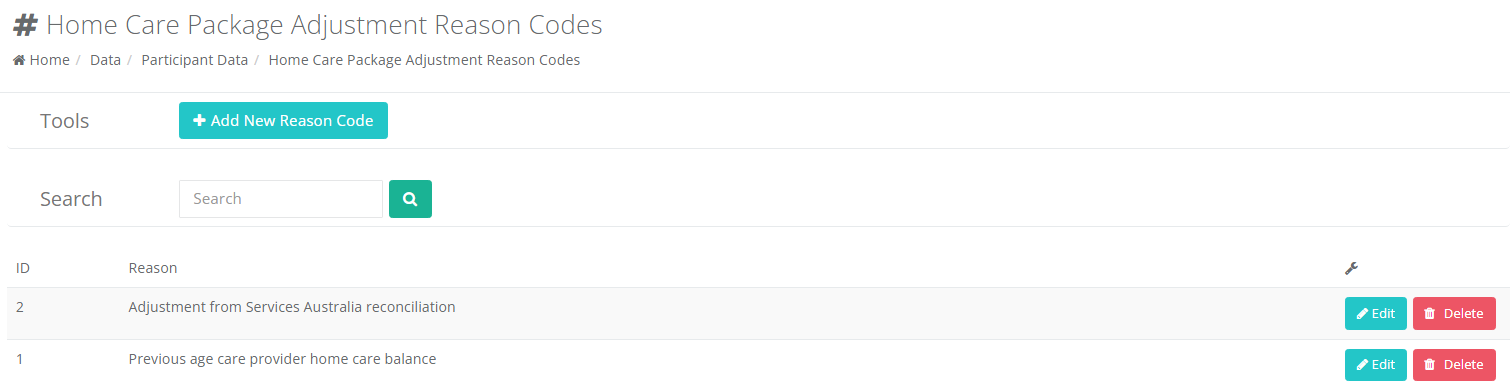
You can create your own adjustment reasons by going to Data → Participant Data → HCP Funding Package Adjustment Reasons
Items
Items for which there exists an adjustment will show on the Client's statement at 0 days. The adjustment row will then be added using the adjusted rate. Additionally, any adjusted items subject to a reduction due to Client leave will be calculated using the adjusted value.
**Example:
A statement is generated in June for a Client, having**
- A basic daily subsidy of $10
- Approved leave overlapping with the statement period, with 5 days at the reduced subsidy rate
- A basic daily subsidy adjustment of $20
**In addition to any other applicable rows on the statement, it will show**
- A row for the basic daily subsidy, having
- A quantity of 0 days
- A rate of $10
- A row for the adjusted daily subsidy amount, having
- A quantity of 25 days
- A rate of $20
- A description with Adjustment June
- A row for the leave adjusted daily subsidy amount, having
- A quantity of 5 days
- A rate of 25% of the adjusted rate, equaling $5
- A description ending with Leave reduction, Adjustment June
Supplement Adjustments
Supplement adjustments must be unique - each Client can only have one Supplement adjustment per supplement type in any month.
Manual Adjustments
Manual adjustments are a total adjustment amount, applied in one lump sum to the statement, and can be negative or positive.
For example, if you made a mistake when charging a Client for an item purchased for them under their plan, you could add a manual adjustment with a positive value to increase their package balance by that amount
If you made a mistake and under-charged a Client for an item purchased for them under their plan, you could add a manual adjustment with a negative value to reduce their package balance by that amount
\