
How to change what shows on the Staff/Volunteers List page?
When you go to Staff/Volunteers -> List, all staff in the system will display in a table view with different headings at the top. These can be changed depending on what information your organisation requires to be able to see without going into a worker record.

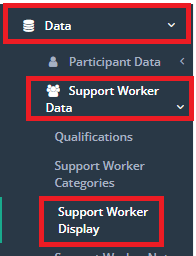
To change what columns show on the Staff/Volunteers List page, go to Data -> Support Worker Data -> Support Worker Display.
NOTE: Changes made here are for everyone who logs into CareMaster so everyone will see the same column headings.
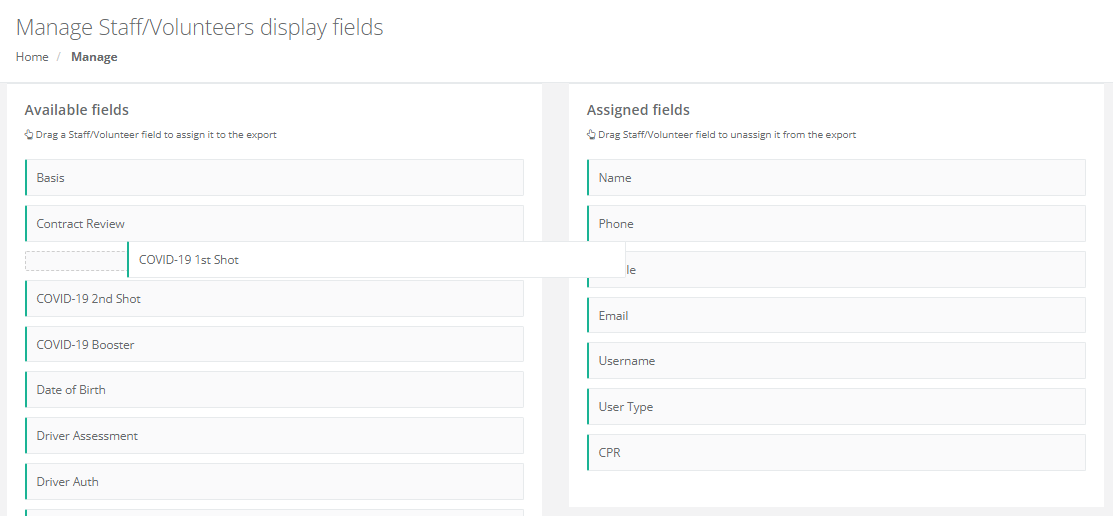
Once this page loads, there are 2 columns - one called Available fields and one called Assigned fields. Fields in the Assigned column will show on the worker list page, ones in the Available columns will not.
To assign a field so it shows, click and hold on the field name in the Available column and drag it to the Assigned field column in the order you want it displayed.
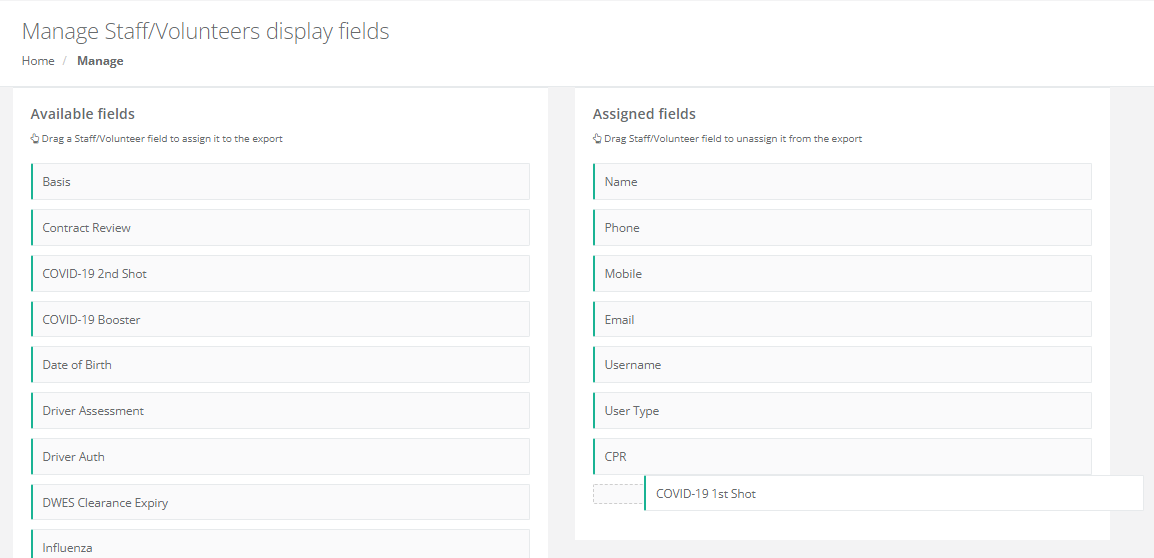 The opposite will allow you to remove fields from the Assigned column and put them back into the Available fields column so they no longer show on the list page.