
How to regenerate a HCP statement after adjustments?
You may at times need to regenerate statements, for example after entering in Medicare Adjustments or making changes to Transactions. To regenerate statements, you should click the  button next to the month you want to start the regeneration from on the Participants → HCP Funding → Statements page.
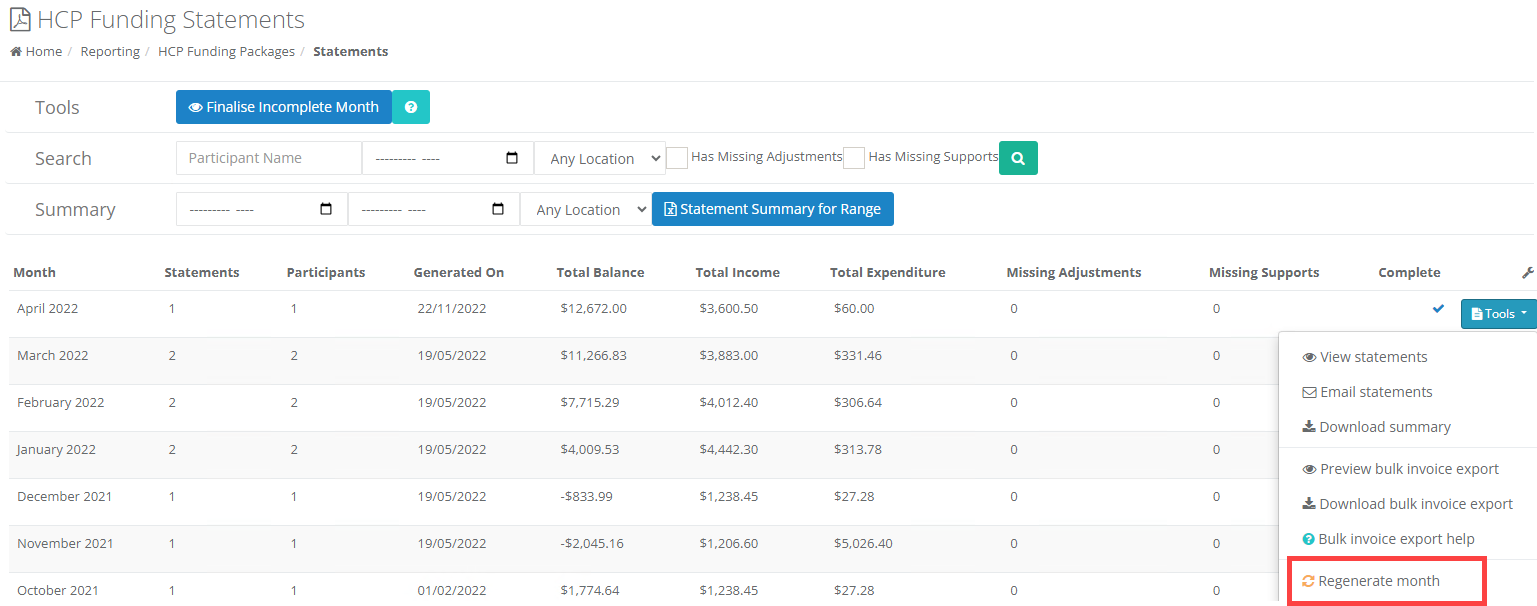 \n When regenerating, CareMaster will delete all statements within that month, and for any month following, and generate new statements for each month in turn.
This process can take a long time, depending on how far back you start the regeneration from, the number of Clients included, and the number of package changes each client has. To prevent system lockups, the process will occur in the background. When processing is complete, as with the Finalise a month function, you will receive a notification after refreshing CareMaster.
\
| **PLEASE NOTE:**You shouldn't perform any other statement generation tasks until the job has finished processing. \n The notification is not automatic - it will be shown when you fresh the page after the job has finished processing. |
|---|
\