
How To Reset A Password?
\
For the Web Portal
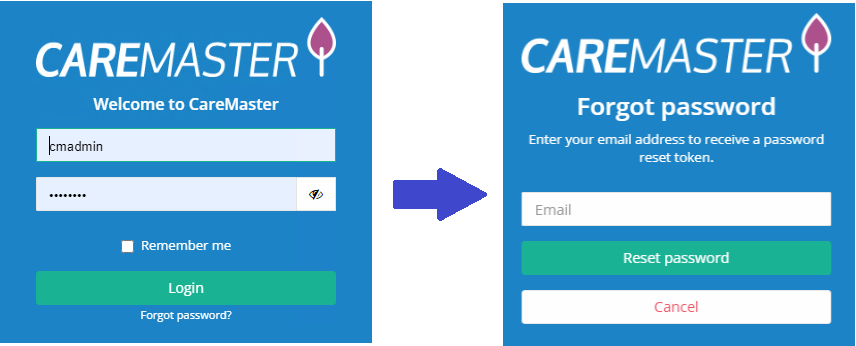
\
For the Worker App & Client App
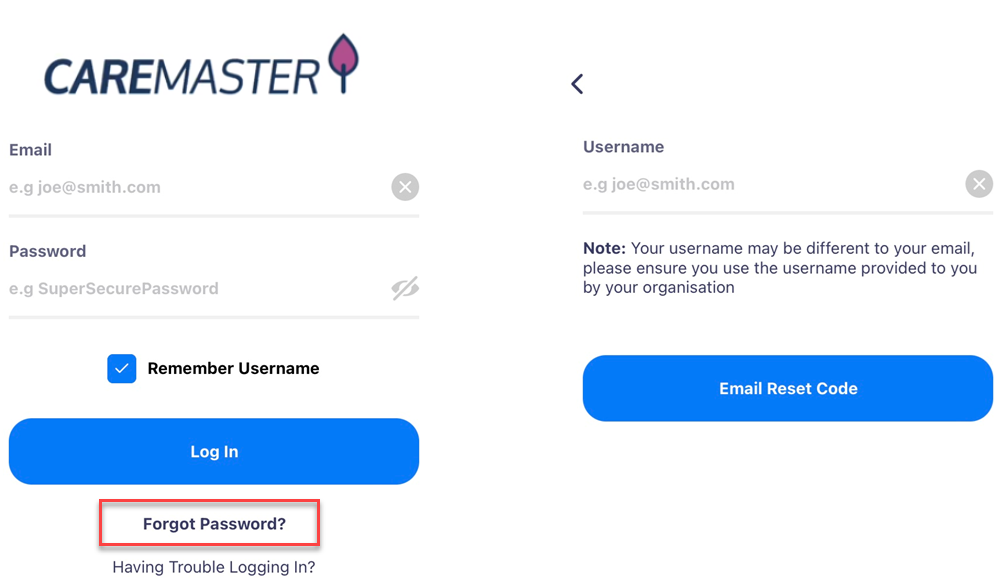
When users have changed their password, they will receive an email letting them know the password was changed. If users receive a password change email without authorising a password change, they should contact their administrator immediately.
Inactive users will be prevented from resetting their password.
The feature to allow one user to change the password of another has been removed from CareMaster. The only person that should know the password of an account is the owner of the account.
Users who currently do not have a registered email in CareMaster need to contact their administrator and have their email recorded before being able to reset and login to CareMaster.
Passwords must contain a minimum of 8 characters.
Two Factor Authentication
To further improve security of user accounts, two factor authentication (2FA) is available. 2FA strengthens user access by adding a second method to verify themselves to CareMaster during login (the first method is the user’s password). The second method is a PIN number that is provided by an authentication app that must match the PIN number that CareMaster has calculated. The authentication app is an app that users will have installed on their mobile phone.
We recognise that to successfully enable 2FA within an organisation, it will require training and other changes to ensure all workers are able to login to CareMaster. Therefore, 2FA will be turned off by default and can be switched on at a later time that suits your organisation. Customers are not required to prepare for 2FA today.
How to activate 2FA (Two Factor Authentication)
Please activate these settings in Settings > System Settings > Search Factor
Please inform your workers as required.