
Vehicles User Guide
This page shows you any vehicles that have been entered into Caremaster.

If your organization needs to keep track of vehicles that are either business or privately owned, you can use this section to keep records on each vehicle including maintenance details.
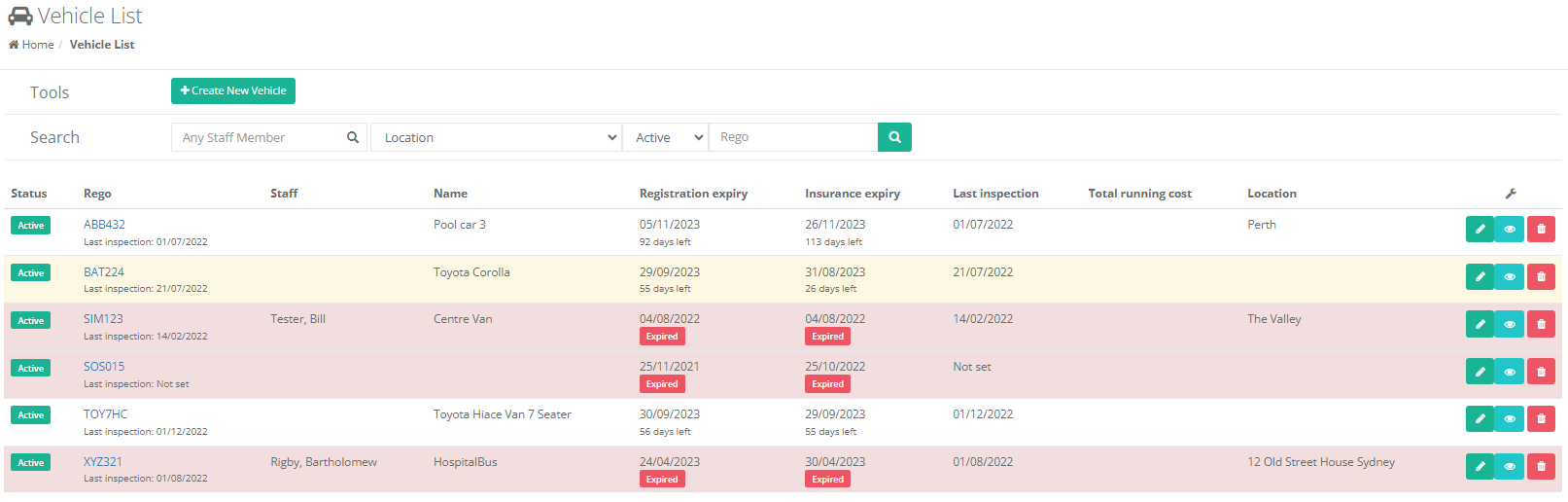
To add a new vehicle record, click on the Create New Vehicle button. The vehicle record window will appear, the Maintenance History and Incidents tab are available after the record has been created and saved, as well as the ability to add in any documents**.**
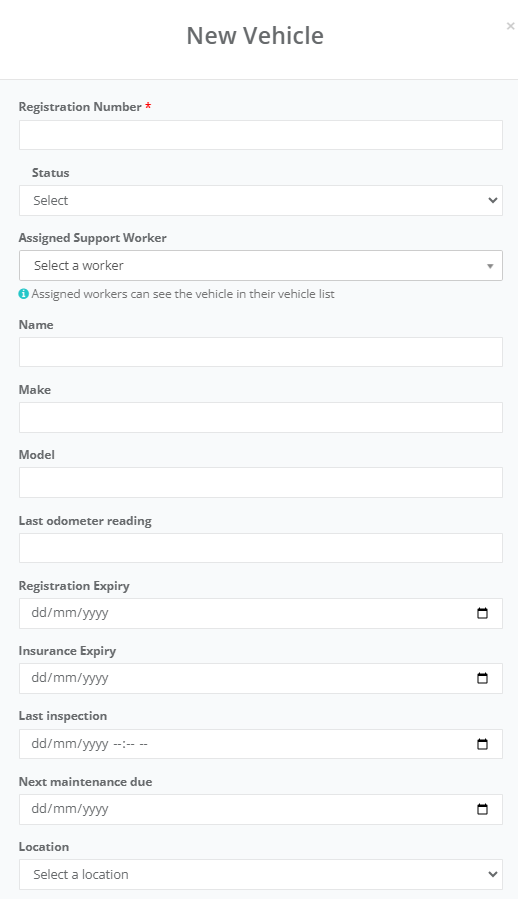
- Registration - Enter in the registration number of the vehicle. This information is required**.**
- Staff - If this vehicle is owned/assigned to a particular staff member, select them here**.**
- Status - Active or Inactive
- Assigned Support Worker - This can be assigned to a specific Worker.
- Name - The name or description of the vehicle**.**
- Make - The vehicles manufacturer**.**
- Mode - The model of the vehicle
- Last Odometer Reading - The odometer reading**.**
- Registration Expiry - The date registration is due to be renewed.
- Insurance Expiry - Expiry of the vehicle's insurance**.**
- Last Inspection - Date of the vehicle's last inspection**.**
- Next maintenance due - Date on next required maintenance.
- Location - If this vehicle is based in or only services a particular location, select that location here.
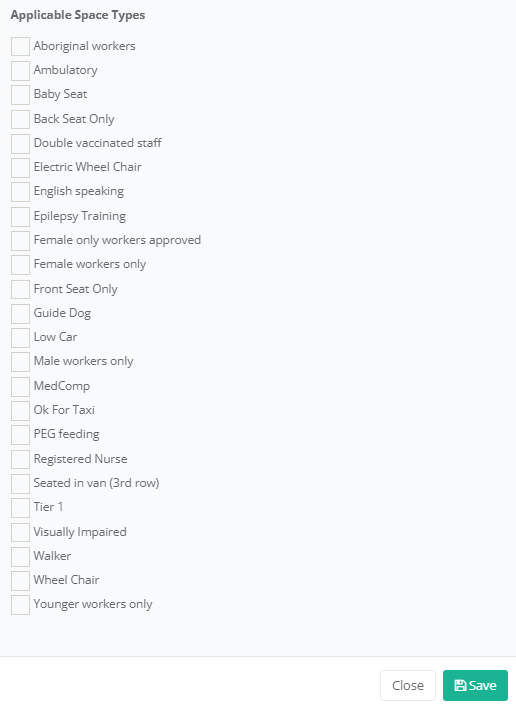
- Space Types - Select any vehicle space types that are relevant for the vehicle.
Click the Save button to add this vehicle.
After the vehicle record has been created, you will be able to see and use the Maintenance History and Incidents tab. The Maintenance History tab is somewhere to store records of any services or repairs done on the vehicle, and the Incidents tab show any incidents involving this vehicle.
Incidents: Any incidents recorded in CareMaster that involve this vehicle are listed here. You can edit them by clicking on the Edit button to the right of the record. To add a new Incident, you will need to do this via the Incidents -> Participants & Workers on the main menu.