
What do the System Settings mean?
33min read
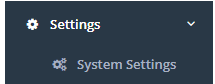
There are a large number of system settings within CareMaster that change how the program works. You can access these from Settings > System Settings.
Use the search bar to search for a specific setting or relevant keywords for any related settings. Clicking on the green ? icon next to the setting name will give you more information on the setting.
| Setting Category | Setting Name | Setting Information |
|---|---|---|
| Accounting | Exclude company/last name column from MYOB invoice export | Excludes the company/last name column from MYOB invoice export |
| Accounting | Invoices are itemised by default | Sets the default Invoice Itemisation option for Xero Contacts without a specified itemisation setting |
| Accounting | Prevent $0 line items from appearing on invoices | This feature will allow services marked at $0 to no longer trigger the generation of an invoice. |
| Accounting | Show support notes on HCP statements | When this setting is on, the Notes entered for a support will be included on any generated HCP statements |
| App | Two Factor Authentication method | Set the method that the users two factor code gets sent. Leaving blank will turn off two factor authentication |
| Award | Minimum gap between shifts to classify as broken | When determining if a 'shift' is 'broken', the minimum amount of time a gap between supports should be before classing it as broken. e.g. at 01:00, a shift is considered broken if the gap between two supports is greater than 1 hour. The default is 1 hour. |
| Award | Use custom afternoon shift end time for MA000100 | Set that any shift that ends after the specified time will be classified as an Afternoon Shift. NOTE: The time specified by the award is 8pm, so you should not set a time after that. |
| Award | Use custom night shift end time for MA000100 | Set that any shift that ends after the specified time will be classified as a Night Shift. NOTE: The time specified by the award is 12am midnight, so you should not set a time after that. |
| Award | Use custom night shift start time for MA000100 | Set that any shift that starts before the specified time will be classified as a Night Shift. NOTE: The time specified by the award is 6am, so you should not set a time before that. |
| Award | Workers launder own uniform by default | When this setting is on, new workers will have Launder Own Uniform checked in Employment Info |
| Award | Workers provided with uniform by default | When this setting is on, new workers will have Provided with Uniform checked in Employment Info |
| Award | Workers require uniforms by default | When this setting is on, new workers will have Requires Uniform checked in Employment Info |
| Client | Can leave address blank | Turn on/off whether to allow address to be blank when creating a new client record |
| Client | Can leave DOB blank | Turn on/off whether to allow DOB to be blank when creating a new client record |
| Client case notes | show activities | Turn on/off whether to add activities field to Case Notes. |
| Client case notes | Show timesheet event options in case note categories | If desired, you can add the Timesheet Events (Data > Timesheet Events) to select from alongside your other case note categories when creating a case note for clients. |
| Client Record | Add agency field to Client Funding | Turn on/off whether to add an agency field to the clients Funding Limits section of their record. |
| Client Record | Add coordinator field to Client Funding | Turn on/off whether to add a coordinator field to the clients Funding Limits section of their record. |
| Client Record | Auto transaction create: Minimum kilometers | No longer applicable |
| Client Record | Auto transaction create: Quantity | No longer applicable |
| Client Record | Coordinator field can be left blank | Turn on/off to make it mandatory for a coordinator to be selected when creating a new client |
| Client Record | Coordinators shown coordinated funding totals only | When this setting is turned on, the funding limit totals shown to coordinators will only include the transactions they coordinate |
| Client Record | Display additional contact fields | No longer applicable |
| Client Record | Display additional referral sources | No longer applicable |
| Client Record | Display client alert field | Turn on/off to choose if the participant alert field is shown or not in a participant’s record. |
| Client Record | Display FFS Funding | No longer applicable |
| Client Record | Display mailing name field | Turn on/off to show a mailing name field that will be used for any mail-outs instead of the participant name. |
| Client Record | Display NDIS type field | No longer applicable |
| Client Record | Display worker field | Turn on/off to show the worker field in a client’s record if enabled |
| Client Record | Email Addresses after Address | No longer applicable |
| Client Record | Hide All Tabs From CIASS/Care Plan apart from NDIS/NDIS Service | Turn this setting on/off to hide all the tabs from the CIARR/Care Plan section of the client record, excluding the NDIS & NDIS Service tabs. |
| Client Record | hide equipment box from client profile | Turn this setting on/off to hide the Equipment section from the Client/Participant profile. |
| Client Record | Hide Profile Option | Turn this setting on/off to hide the profile option when creating a new client record. |
| Client Record | If client's status is set to Waiting or NonAccp, review date can be left blank | Set review date to be optional instead of mandatory if the participant has not yet been accepted. |
| Client Record | Location mandatory | Turn on/off whether Location is to be Mandatory. You'll first need locations in CareMaster to make turning this on a valid option. |
| Client Record | Move address table after worker field | No longer applicable |
| Client Record | Move NDIS type and number to after client surname field | No longer applicable |
| Client Record | Review date can be left blank | You can make the entry of a review date mandatory or optional. |
| Client Record | Review date must be todays date or a future date | If On, when entering in a review date the date must be today or later. |
| Client Record | Show KM allowance checkbox | No longer applicable |
| Client Record | Show profile picture in client list | Turn on/off to toggle the visibility of client photos from the client list. |
| Client Record | Transaction box shows upcoming 5 | Turn on/off to allow the 5 coming up Transactions/Support on a participant/client profile. |
| Client Record | Use Paid By field for email address If Plan Managed on Xero Invoice CSV | No longer applicable |
| Display Alert | If assigned worker has pending leave request on date | Display an alert if the worker has a pending leave request overlapping with the date of the support. Also handles recurring dates. |
| Display Alert | If assigned worker is incompatible with assigned client or other workers | Whether or not an alert should be shown when assigning workers to a transaction with clients or other workers they are not compatible with |
| Display Alert | If assigning worker to support is likely to entitle them to overtime | Attempt to display an alert if the worker would be entitled to overtime as a result of or in addition to the hours worked as part of being assigned to the support |
| Display Alert | If assigning worker to transaction would exceed their specified max hours | Whether or not an alert should be shown when assigning workers to a transaction would exceed their specified max hours |
| Display Alert | If coordinator has more than one transaction on the same day | Prompt the user for confirmation if saving a support with a coordinator who already has a support that day |
| Display Alert | if less than specified time between worker assigned supports | Alert if there is less than a specified time between the start of the assigned support and another support the worker is already assigned to. See also: Minimum Time Between Supports |
| Display Alert | If participant is on approved leave during support | Shows an alert when adding a new support if the participant has an existing leave event |
| Display Alert | If transaction is outside worker specified availability | Whether or not an alert should be shown when assigning workers to a transaction outside of their specified availability |
| Display Alert | If Worker has an expired qualification | Whether or not an alert should be shown when assigning workers with expired qualifications or certificates to a transaction |
| Display Alert | If worker is already assigned to a transaction that falls within the scheduled start and end time | Whether or not an alert should be shown when assigning workers with that already are assigned to a support that falls within the scheduled start and end time of the new support you are adding. |
| Display Alert | Ignore expired documents for exited participants | Will not show an alert for expired documents for exited participants |
| Display Alert | Ignore expired documents for inactive workers | Will not show an alert for expired documents for inactive workers |
| Display Alert | minimum time between worker assigned supports | Specifies the time for the alert "if less than specified time between worker assigned supports". Will default to 30 minutes. |
| Payroll | Allow access to advanced timesheets pages | Whether or not this organisation should have access to the Xero => Advanced Timesheets function (Superuser only) |
| Payroll | Casual Loading is added separate from Ordinary Rate | When syncing timesheets, every applicable hour will also add an hour at the Casual Loading rate which will show up separately in the payslip. This is the suggested behaviour |
| Payroll | Override worker order in advanced timesheet pages | Specify how you want workers in advanced timesheet pages sorted. The default will follow your Staff - Show first name first in lists setting, with workers without supports at the end |
| Payroll | Pay First Aid Allowance for Expired Certificates | When this setting is turned off, a worker with Pay First Aid Allowance ticked will only be paid the allowance if their First Aid Certificate is current |
| Reports | Account reports header offset | If you wish to print your account reports on paper with headers, this will allow you to set a certain offset to ensure that the header is not printed over. |
| Reports | Add company logo to export case notes report | If enabled, the company logo will be displayed on your case notes reports. |
| Reports | Client reports will display the Category filter | When running a client report, you can have an additional filter for client category. |
| Reports | Client reports will display the NDIA type filter | When running client reports, include the option to filter by their NDIA type. |
| Reports | Exclude cancelled transactions from worker details reports | Turn on if you want to exclude cancelled transactions/supports from Worker Detail reports. |
| Reports | Kilometer rate for MYOB Invoice CSV Report | No longer applicable |
| Reports | order invoice summery by Client, Service | Will order the invoice summary by participant then their relevant services. |
| Reports | Remove Organisation Name from invoices | If enabled, Service Organisation names will not be displayed in invoices. |
| Reports | Remove totals from roster PDF | will remove the totals information from a roster when printed as a PDF |
| Reports | Show card id on trans detail report | Turn on if you would like the card id to shows on a Transaction Detail report |
| Reports | Transaction heading hours instead of quantity | You can choose if the Transaction/Support list shows hours, or quantity. |
| Reports | Transaction list export excludes cancelled transactions | Turn on if you want to include cancelled transactions/supports on transaction list report. |
| Reports | Use alternate transaction list report | No longer applicable |
| Reports | Use NDIS number instead of Client Number on Client Invoices | If turned on, will display NDIS number instead of Client Number on client invoice reports. |
| Reports | Worker report will display volunteer ID | If turned on, will display volunteer ID entered on the worker list report. |
| Roster | Add emails to queue instead of sending immediately | When emailing rosters to clients or workers, add them to a queue instead of waiting for them all to send |
| Roster | Border colour for group transactions | If this is set, will show a border of the selected colour around the block containing a transaction group on the roster. Setting is ignored if set to black (#000) |
| Roster | Colour for group transactions | Changes the colour of the block containing a transaction group on the roster. Setting is ignored if set to black (#000). |
| Roster | Colour for worker leave | Changes the colour of the block representing approved worker leave requests on the worker roster page |
| Roster | Default view | Allows you to set a default view based on time span and visual formatting |
| Roster | Display worker name on roster | Whether or not the assigned worker name should be shown on the roster for each transaction |
| Roster | Double click on event goes to full transaction | Turn on if you would like to be able to double click on an event in the roster and it open up the full support edit popup. |
| Roster | Drag events to workers without set availability | When this setting is turned OFF, you cannot drop an event on a worker that does not have their availability set |
| Roster | Email sender name | When emailing rosters to clients or workers, this is the NAME your emails will be sent from |
| Roster | Frequency to automatically refresh the roster. | Admin users will be able to set a Roster Refresh rate of 10m / 15m or 20 minutes. The default will be 10. |
| Roster | Include sleepover hours in roster totals | When this setting is turned OFF, overnight supports (excluding active overnights) will not be included in the total hours displayed on the roster page |
| Roster | Only include charged by hour in totals | When this setting is turned ON, supports not charged by Hour(s) will not be included in the total hours displayed on the roster page. Overnight "each" supports may still be included if "Include sleepover hours in roster totals" is turned ON. |
| Roster | Only show clients with supports | When in the roster resource view with this setting turned OFF, all clients will be shown instead of just those with supports |
| Roster | Only show coordinators with supports | When in the roster view with this setting turned OFF, all coordinators will be shown instead of just those with supports |
| Roster | Only show vehicles with supports | When in the roster view with this setting turned OFF, all vehicles will be shown instead of just those with supports |
| Roster | Only show workers with supports | When in the roster resource view with this setting turned OFF, all workers will be shown instead of just those with supports |
| Roster | Roster PDF block height | Sets the height in pixels of each 30 minute block in the emailed roster PDF |
| Roster | Set colour for unavailable workers | Select the colour using the picker that will let you choose what colour unavailable workers show as on the worker roster. |
| Roster | Show cancelled supports on roster displays | Using this setting you can control how roster displays handle cancelled supports by default. You can change this per-request using the roster filters. When using the billable only option, only those billable in the context of the roster type you are viewing will be shown. |
| Roster | Show confirmed transactions only | If this is turned on, it will only show confirmed supports on the roster. |
| Roster | Show Service on client roster emails | When emailing rosters to clients, include the description of the Service |
| Roster | Show Service on worker roster emails | When emailing rosters to workers, include the description of the Service |
| Roster | Show Transaction Notes on worker roster emails | When emailing rosters to workers, include any Notes added to the transaction |
| Roster | Show Unassigned Transactions First | When this setting is turned on, transactions that are not assigned to a Worker will show on the roster first |
| Roster | Show worker's surname on participant roster reports | Displays the workers full name on the participant roster report |
| Roster | Skip rosters with missing emails | When emailing rosters to clients or workers, skip those with a missing email instead of showing an error |
| Roster | Slot duration | Indicates the frequency for displaying time slots in the roster. |
| Security | Require two factor authentication for all users | Activates the two factor authentication for web and app users |
| Services | Funding ID is not mandatory | If turned on, the funding ID will not be mandatory when creating a new service or editing an existing service under service organisations. |
| Services | Ignore non-extant services when importing updates only | When checked, and importing services with Update Only checked, any rows that do not match an existing non-deleted Service will be discarded instead of being logged as for a non-existing service |
| SMS/Email Client Notifications | Client SMS Reply Number | The phone number listed in notifications for Clients to reply to |
| SMS/Email Client Notifications | Do not send appointment changed notifications | Whether or not to block sending of the Change of Appointment notification when a previously notified appointment is changed. Note: Change notifications are only sent for appointments that have had a notification sent already |
| SMS/Email Client Notifications | Do not send appointment today notifications | Whether or not to block sending of the notifications reminding clients they have an appointment today. If this is on, Appointment Changed notifications may not send |
| SMS/Email Client Notifications | Do not send upcoming appointment notifications | Whether or not to block sending of the Upcoming Appointment / Days Before Service notification. If this is on, Appointment Changed notifications may not send |
| SMS/Email Client Notifications | Hours before service to send day of service notification | Choose an option to indicate how many hours before a shift to send a notification to a client. |
| SMS/Email Client Notifications | How many days before service to send notification | Choose an option to indicate how many days before a shift to send a notification to a client. |
| SMS/Email Client Notifications | Time to send day before service notification | Choose the time that a notification will be sent to the client on the day before a shift. |
| SMS/Email Notifications | Day before options | Choose an option on when to send notifications to workers the day before a shift |
| SMS/Email Notifications | Day of options | Select one of the options to indicate how long before a shift notifications should be sent |
| SMS/Email Notifications | End of day options | Select one of the options to indicate how long before a worker's last shift is over that they will be sent a notification |
| SMS/Email Notifications | Override worker broadcast method | If required, you can use this to override the Alert type option selected in each individual worker record |
| SMS/Email Notifications | Time after shift to auto clock off | No longer applicable |
| SMS/Email Notifications | Worker SMS reply number | The phone number listed in notifications for Workers to reply to |
| Staff | CC addresses when leave approved | You can add an additional CC'd email address when leave is approved. I.e. Payroll |
| Staff | Check current database for duplicate logins only | Only valid for users who have multiple databases that are linked. |
| Staff | Coordinators can add/edit news | Under the News section the coordinator will not be able to add or edit news without this setting on |
| Staff | Default alert setting for new workers | You can have a default Alert setting for newly created workers instead of selecting it manually for each one. |
| Staff | Email Address Mandatory | Select if the email address is mandatory for new workers. Recommended to leave this on, as the email address is required for anyone using the app. |
| Staff | Hide volunteers from Roster | Indicate if volunteers are shown on the roster or not. |
| Staff | Include worker-billable cancelled supports in hour calculations | When this setting is turned ON, the scheduled hours column in the Browse Workers modal and worker-over-max-hours alerts will include any worker-billable hours for cancelled supports |
| Staff | Notify worker when actioning leave request | Whether or not to email the worker notifying them when a leave request has been actioned, either by approving or rejecting it |
| Staff | Remove Coordinator option from user create | Turn on if you would like the coordinator option to be available on the new worker wizard. |
| Staff | Show first name first in lists and Roster | If you turn on, it will display firstname lastname instead of lastname, firstname in worker list and the Roster view |
| Staff | Show is worker checkbox for admin users | Turn on to make this tickbox visible in the 'Staff Record > Organisation Information' section within administrator records. Allows them to appear as a worker and be assigned to supports/clients, while maintaining their administrator access. |
| Staff Availability | Multiple time windows for one day | Turn on to allow a staff member to have separate morning and afternoon availability. |
| Staff Availability | Period Type | The type of period used when for example calculating the number of scheduled hours assigned to a Worker |
| Staff Availability | Staff Availability Date | The date that time periods start from for calculating availability or hours scheduling |
| Staff Record | Location mandatory | Indicate if selecting a Location is mandatory when creating a new staff record. |
| Staff Record | Number of days to display in on availability page | This allows you to specify the number of days to show on the availability page. i.e. 7 for a weekly basis or 14 for a fortnightly schedule |
| Staff Record | Set timesheet leave on availability leave | If workers are scheduled for supports that fall within the date range set when entering in Leave, they are removed from those supports. If this setting is turned on, timesheets will be also created for that worker for the dates/times, and details of the leave type. |
| Staff Record | Show profile picture in staff list | |
| Staff Record | Volunteer tickbox will display | If workers are scheduled for supports that fall within the date range set when entering in Leave, they are removed from those supports. If this setting is turned on, timesheets will be also created for that worker for the dates/times, and details of the leave type. |
| Staff Timesheet Events | Section Timesheet Events | This will allow you to group and order your timesheet events in a particular order. |
| System | Activate automatic transactions for NDIS costs | No longer applicable |
| System | Add clients directly into Caremaster | This should be set to Yes unless you are using Trips/MnM. |
| System | Add Worker/Coordinator to case note created transaction | The worker/coordinator who created the case note will be automatically assigned to the linked support |
| System | Add workers directly into Caremaster | This should be set to Yes unless you are using Trips/MnM. |
| System | Adding a case note will automatically add a corresponding transaction | This should generally be set to Yes unless you definitely won't be wanting any automatically created supports. Transactions still won't be automatically created without the appropriate Case Note category configuration. |
| System | Admin can edit own record | Allow admin staff to manage their own user accounts |
| System | Allow coordinators access to all clients | Indicate if coordinators see only the records for participants they are assigned to, or all records |
| System | Allow coordinators access to all transactions | Choose to have coordinators be able to see supports or just the ones for participants they are assigned to. |
| System | Allow coordinators access to all workers | Turn on/off to allow coordinators access to all workers, or just the ones they are assigned to |
| System | Allow coordinators to edit clients | Turn on/off to allow coordinators edit clients records |
| System | Allow users to delete timesheets | If enabled, staff are able to delete timesheets attached to staff records. |
| System | Allow worker access to clients after assigned supports | Creates increased Participant visibility for a set duration after the allocated support time if not listed as an assigned worker on the participant profile |
| System | Allow worker access to clients prior to assigned supports | Creates increased Participant visibility for a set duration before the allocated support time if not listed as an assigned worker on the participant profile |
| System | Allow worker to edit clients | Turn on/off to allow workers edit client records. |
| System | Allow workers access to all clients | When workers sign into Caremaster, you can choose that they can see all participants or just the ones they are assigned to. |
| System | Change default letter icon | Changes the generate letter icon from a printer icon to a page icon. |
| System | Coordinators can add clients | Enable this setting to allow coordinators to add clients/participants to Caremaster. |
| System | Coordinators can add workers | Enable this setting to allow coordinators to add Staff Records to Caremaster. |
| System | Delete client records | If you wish, you can give the ability to delete participant records. When it comes to government funded services, we strongly recommend against deleting a participant record until they have been inactive for at least 2 years. |
| System | Display carer records | If activated, will import and display carer records in the participant list. Useful if you want to add services to the carer, not just the participant. |
| System | Display filter for volunteer ID | When searching for a staff record, you can also search by someone’s volunteer ID by turning this setting on to show the filter. |
| System | Display service as combined name | Service orgs have a 3-letter service code, eg SOS. As multiple service organisations can provide the same services, having the service name prefixed with the organisation’s service code can reduce confusion. |
| System | Hide Data Side Menu Item when logged in as coordinator | If enabled, coordinators would be unable to see or use any of the features from Data in the main menu. |
| System | Hide database selector dropdown | No longer applicable |
| System | Hide documents section from workers | Turn on/off to hide documents panel from workers when signing into the web portal |
| System | Hide financial information from coordinators | Enable this setting to hide the financial information from coordinators. This includes totals or costs from transactions they have access to. |
| System | Hide financial information from workers | Enable this setting to hide the financial information from the Workers. |
| System | Hide funding information from workers | When this setting is turned on, workers will not be able to see a participant's funding information or limits |
| System | Hide properties menu option | Hide Properties menu item. 'Show Properties menu item to coordinators' will override this setting for coordinators |
| System | Hide support form pricing from coordinators | Removes visibility of pricing on a Support transaction detail view for the coordinators |
| System | Hide support form pricing from workers | Removes visibility of pricing on a Support transaction detail view for the workers |
| System | Hide vehicles menu option | Turn on/off to hide the vehicles from the main menu. |
| System | Idle time before auto-logout | Set idle time before users are automatically logged out of Caremaster. |
| System | Input field text displays in bold | Displays the input field text as bold. |
| System | Lock incidents on create | Enable this setting to lock incidents on creation to avoid them being edited afterwards |
| System | Multiply Total Cost by number of assigned workers | When adding a transaction this setting will multiply the cost by the number of assigned workers. |
| System | NDIS Export Change reference number to client name | If enabled, when doing an NDIS export instead of the participant’s reference number their name will be displayed instead. |
| System | NDIS Export join ndis service support item | Have the NDIS Export only include services that are within the given client's NDIS Service section of their record. |
| System | Number of records to be shown if Load More button is ticked | Only a page full of records (e.g. participants, supports) is displayed normally, ticking the ‘Load More’ box at the top of the page will load more. Choose how many records can be displayed on the one page. |
| System | Number of weeks before case notes will become locked to editing | Choose how long before case notes can no longer be edited after creating. If set to 0, notes are locked from being edited immediately after being created. |
| System | Rename coordinators to managers and workers to coodinators | Your organisation may have different position names for your staff, you can change the naming here if you wish. |
| System | Restrict workers to roster | This allows you to specify if a worker can view just their own roster in the web portal. |
| System | Service Org Client List Without Vouchers | If your organisation does not use vouchers, this setting will allow you to use the alternative version of the service org client list report. |
| System | Services account code | Enter desired code – can be left blank. |
| System | Show is coordinator and worker checkbox for admin users | If enabled, this allows you to provide additional worker access to administrators, so you can have staff records with administrator access who can be assigned to supports/participants as a worker. |
| System | Show is coordinator checkbox for admin users | If enabled, this allows you to provide additional coordinator access to administrators, so you can have staff records with administrator access who can be assigned to supports/participants/workers as a coordinator. |
| System | Show Properties menu item to coordinators | Show Properties menu item to users with coordinator role |
| System | Use TMA Central ID number | If your organisation also uses Client Central, you may wish to turn this setting on so the same ID number for the participant is used in both Client Central and Caremaster. |
| System | Voucher section on | Turns the voucher section on. Applicable only to specific organisations. |
| System | Workers can add clients | Indicate if workers can create new participant/client records. |
| System | Workers can add workers | Indicate if workers can create new staff records. |
| System | Workers can create supports using the support form | Allows worker access to create supports |
| Timesheet | Allow coordinators to edit timesheets | By default only administrators can edit timesheets. This setting allows coordinators to edit timesheets as well. |
| Timesheet | Client services only | Restricts you to using timesheets only to enter in client events. |
| Timesheet | Send Comment to Cases Notes | For client services, any notes in the timesheets get added as case notes for that client. |
| Timesheet | Show additional client field | Show's additional client field |
| Transactions | Default invoice payment due term | Default invoice payment terms length in days |
| Transactions | Display coordinator field | Your organisation may wish to assign coordinators to supports, turning this setting on gives them that option. |
| Transactions | Display Instances field | If you need to record the number of instances, this setting will show an instances field on the support page. |
| Transactions | Display Kilometres field | If you need to record the number of kms for a support, you can enable this setting. |
| Transactions | Filter services by clients NDIS services | No longer applicable |
| Transactions | Invoiced transactions to not show on NDIS export | Enable or disable. This prevents any supports for items that are marked for invoicing to be included on an NDIS Export. If you are wishing to bring your NDIS managed data into both Xero and into the NDIS Export, you will need to have this setting disabled, and your NDIA Managed services to marked as Invoiced. |
| Transactions | Is Transport checkbox is ticked by default | When turned on, the Is Transport checkbox is ticked by default when creating new supports |
| Transactions | Only admins can edit paid, invoiced, or exported Supports | When an invoice has been marked as paid, as invoiced, or as exported, only allow administrators to make changes to it |
| Transactions | Quantity fields will display in HH:MM | For organisations that only have services that are reported in hours, this will display the quantity field as HH:MM |
| Transactions | Remove colour | This will remove the colours from the support screen. Otherwise, the colours help distinguish supports that are in the same recurring chain |
| Transactions | Restrict to client assigned task lists | When assigning task lists transactions only task lists that have been assigned to all clients associated with the Transaction will be displayed. |
| Transactions | Retain information on Save and Add | If you click Save and Add after entering in a transaction’s details, you can choose to have the information currently entered in on the page to remain there. |
| Transactions | Show properties on support form | Whether or not to show the inputs for assigning a property and room to a support on the support edit form |
| Transactions | Support worker mandatory field \n | This will make a support worker Mandatory when creating a support |
| Transactions | Transaction list full client/worker details. | No longer applicable |
| Transactions | Use app times in print transaction list | When printing out the transaction/support list, if enabled this will show the start/finish times that were recorded from the app (applicable only to supports already completed). |
| Transactions | Users cannot dismiss funding limit popup | When enabled, if a transaction is created that exceeds a participants funding limit, users will not be able to dismiss this informational pop-up. |
| Vouchers | Display minimum payment tickbox on voucher page | No longer applicable |
| Vouchers | Generated voucher number will be numeric only | No longer applicable |
| Vouchers | Voucher title will be added to the voucher details field | No longer applicable |
| Worker Timesheet | Do not display expenses | If turned on, expenses field will not show on worker timesheets. |
| Worker Timesheet | Do not display kms | If turned on, kms field will not show on worker timesheets. |
| Xero | Automatically admin-approve synced timesheets | When syncing timesheets and the Only Show and Sync Admin-Approved Timesheets setting is turned OFF, any timesheets that successfully sync will have their admin_approved status set to TRUE |
| Xero | Automatically sync Transaction paid status via Invoice Number | When you sync Invoices from Xero, automatically update the "paid" status of Transactions with a matching Invoice Number |
| Xero | Colour rows of timesheet sync table according to status | Choose if the timesheets are shown in different colours according to their approved/synced status. |
| Xero | Default Invoice Due Date Type | This setting combined with Default Invoice Due Date Value determines the Due Date of invoices created in CareMaster |
| Xero | Default Invoice Due Date Value | This setting combined with Default Invoice Due Date Type determines the Due Date of invoices created in CareMaster |
| Xero | Default invoice status | The default status of an invoice in Xero when created from Care Master. DRAFT invoices can contain incomplete line items, such as missing account codes |
| Xero | Default to award interpreted rate instead of worker ordinary rate | When determining which rate to use for a timesheet entry, this setting will ensure it uses the appropriate award rate instead of the worker's ordinary rate. This setting should be kept on. |
| Xero | Default to Ordinary Rate if rate not assigned | If we cannot determine which rate to use for a timesheet entry, this setting will use the worker's ordinary earnings rate instead of showing an Invalid Rate warning |
| Xero | Delete stored xero data if worker is no longer in Xero | When syncing Employees from Xero, if the Employee was deleted from Xero then delete their Xero data in Care Master. This should be safe, as you cannot delete Employees in Xero with processed Pay Runs |
| Xero | Earnings Rates can be set per Service Org | Allow each Service Organisation to have their own Earnings Rates. This setting is currently not supported and should be left OFF |
| Xero | Only show and sync admin-approved timesheets | Only timesheets that have been approved by an admin will show in the Xero => Timesheets list for syncing |
| Xero | Only show and sync timesheets with valid times | Only timesheets that have valid times - end time after the start time, and a duration longer than 15 minutes - will show in the Xero => Timesheets list for syncing |
| Xero | Only sync invoices created by Care Master | When this setting is turned on, only invoices that were created in Care Master will be retrieved from Xero. All other invoices, including those created using the old CSV import, will be ignored. |
| Xero | Stop when Item Template result over character limit | When this setting is turned on and you are automatically generating Xero Items, Care Master will show an error if the template result would be over the character limit for the code or description. If turned off, the extra characters will be ignored. |
| Xero | Stop when Item Template result over character limit | When this setting is turned on and you are automatically generating Xero Items, Care Master will show an error if the template result would be over the character limit for the code or description. If turned off, the extra characters will be ignored. |
| Xero | Use transaction rostered time when syncing timesheets to Xero | When sending timesheets to Xero, use the hours from the associated Transaction instead of the hours from the Worker Timesheet. This only works with Basic Timesheets |
| N/A | Document Upload Notification | Turn off if you do not want users to receive a document upload notification after a document is uploaded. |