Xero Invoicing Setup
1min read
Go to Admin → Integrations → Xero → Settings from the main menu.
The Xero Settings section has a few settings that will affect how your invoices are handled. Each setting has a ? icon to the right of it which explains the setting in further detail. 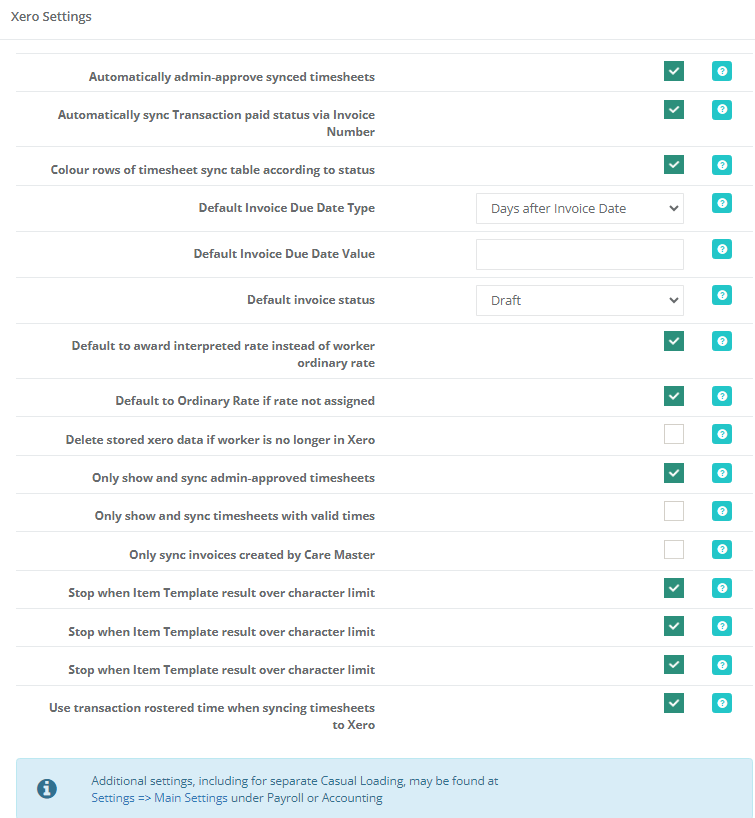
In this section, check the Settings;
- Automatically admin-approve synced timesheets
- Automatically sync transactions paid status via Invoice Number
- Colour rows of timesheet sync table according to status
- Default Invoice Due Date Type
- Default Invoice Due Date Value
- Default invoice status
- Default to award interpreted rate instead of worker ordinary rate
- Only sync invoices created by CareMaster
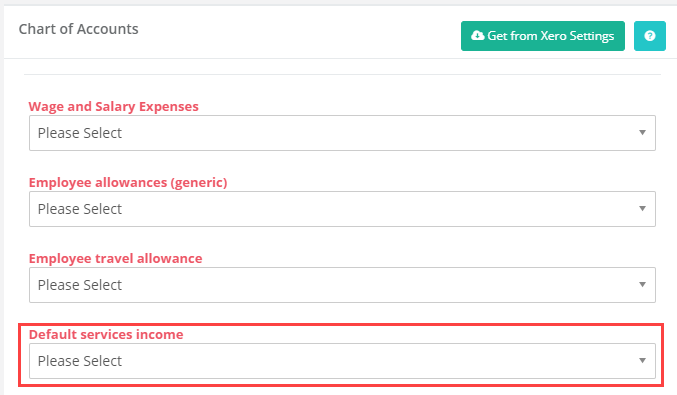
In the 'Chart of Accounts' section to the right, set a 'Default Services Income' using the drop down.