
Changes to Worker's Emails and Password Reset
Worker Emails
Worker email addresses are now a mandatory field for all new and existing workers as this is the method used to communicate and manage worker passwords if they require changing or to let users know if their password have expired.
When creating new worker records, the worker email address is now mandatory even if the 'Staff \ Email Address Mandatory' setting (#96) is disabled. Workers cannot share email addresses and they must be unique. When editing existing worker records or changing inactive workers to active, the same validation applies.
When worker email addresses are changed, the system will now send an email to the worker's old email address informing them their email address has been changed. It will not include their new email address in the email due to potential privacy issues. This is done because worker's passwords are only changed via their email address and as a security prevention technique, worker's are notified when their email addresses are changed. Workers should contact their administrator if they have not authorised changes to their email address in CareMaster.
Worker Usernames
A new checkbox labelled 'Use email as username and update email address' has been created under worker profile \ Edit organisational information.
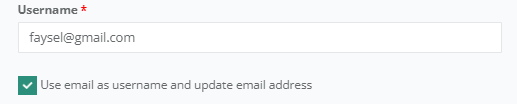
When this checkbox is set it will link their username with their email address and keep them in sync.
Under contact information a help message will alert you if the workers' username and email are linked.

The user must have the 'ChangeUsername' permission enabled for the checkbox to be displayed. Also you must
- be editing your own record as a coordinator or administrator or
- be editing an administrator or other user’s record as another administrator
Workers cannot edit organisation information, but can view it. If the username and email match, the checkbox will be checked.
Forgotten Passwords
Users can reset their own passwords via the sign-on screen by clicking the 'Forgot password?' link.
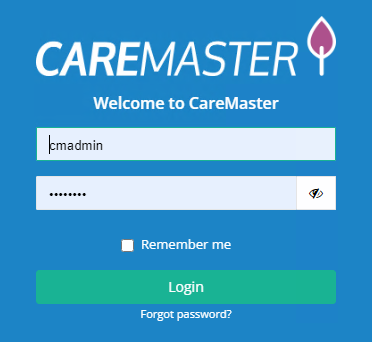
From there users will enter their email address and request a password reset.
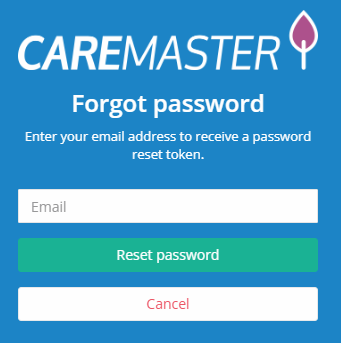
Users will receive an email with instructions on resetting their password. Inactive users will not receive an email to allow them to reset their password. Users who do not have an email registered in CareMaster will need to contact their administrator and have their email recorded in their contact details before being allowed to continue.
Password Resets
Workers must be active in order to request a password reset. Password resets are not allowed for inactive workers.
Users can no longer change another user's password.
When a user changes their password, an email is sent to the user's email address informing them their password has been change. Neither their old or new password is included in the email.
When changing passwords, they must be a minimum length of 8 characters.
The 'confirm password' field has been removed and replaced with a 'show password' button.
Passwords are already encrypted in the database however the encryption method has been improved. Due to some technical constraints some users may be required to change their password the first time they attempt to sign into CareMaster after it has been upgraded.
New Workers
When creating new worker records, an email will be sent to the worker's registered email address containing a link to set their password for the first time.
Workers can reset their password from the main login page of CareMaster.
Passwords cannot be saved and have to be entered every time a log in occurs.
Settings
Under Settings \ System Settings \ Staff \ there is a setting called Email Address Mandatory (#96). This setting is no longer used within CareMaster and all workers now require an email address and it must be unique across all workers (active and inactive).