
Clients
After clicking on Clients, a list of clients will display:
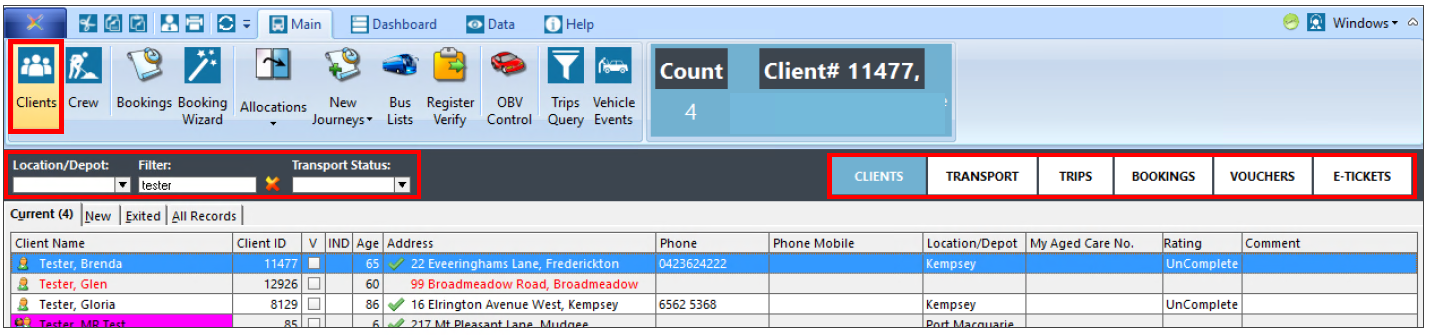
The list of clients can be sorted by their location/depot, using the filter field to search by part or all of their name, or the status of their trips; for example selecting a Transport Status of ‘cancelled’ will show all clients who have any trips with a cancelled status. Using the buttons on the right changes the view.
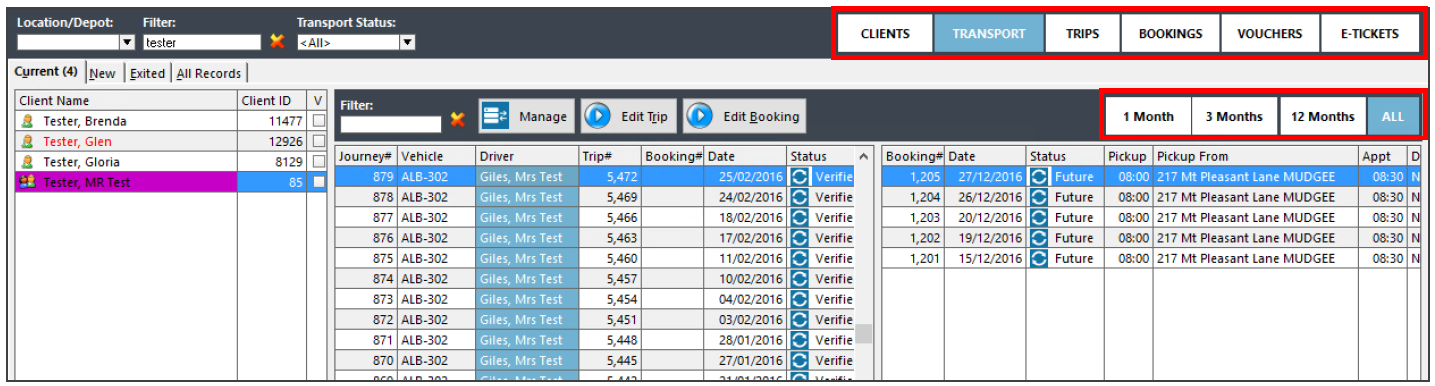
Clicking on Transport shows both Trips and Bookings in separate panes for the highlighted client record. As well as clicking on the other options, you can also use the buttons just underneath to only show trips for a given time frame. Double click on a client’s record to open it, or any transport record that up. Client record:
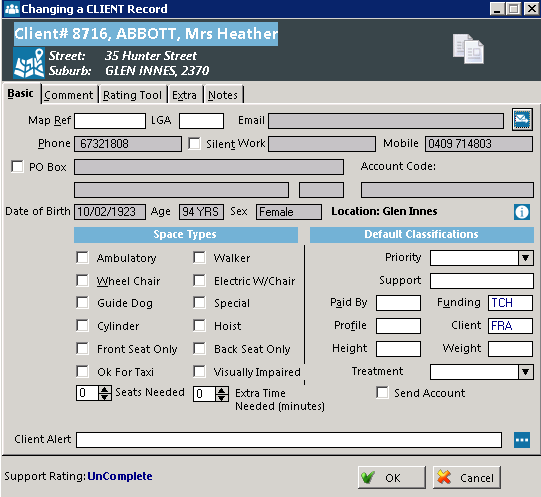
Basic: The fields in gray are pulled from support, the ones in white are specific to Trips, and assist in setting up and arranging Transport services. Comment: The comment tab is initially blank, and can be used to add any extra information or comments about the client that the driver may need to know as comments entered here flow through to trip comments, which are displayed on run-lists depending on the format. This information can be shown on run lists, for example that the client needs to be picked up from the back door. Rating Tool: Fill in the drop down boxes that ask specific questions regarding what left of support the client needs. The visibility of this tab can be toggled in Control Settings > Advanced, it’s the top option in the list. Regardless of the visibility of the tab, the overall rating is shown in the bottom left hand corner of the client’s record and when looking at the list of clients there is a ratings column. Extra: Extra information such as the date of their last assessment, entry or exit dates can be entered here if desired. Notes: This tab is for any other information about the client that the driver may not need to know – for example, keeping track of contact history, changes to the client record, or any information useful for office staff.