
How to exit workers in CareMaster
1min read
In CareMaster, managing worker profiles is a crucial aspect of maintaining an up-to-date and accurate record of your workforce.
While you cannot permanently delete worker profiles, you can mark workers as "Inactive" when they are no longer part of your organisation.
This allows you to keep a historical record of past employees while keeping your active workforce organised.
- Navigate to the Worker's Profile.
- Press Edit on the workers Organisation Information Tab.
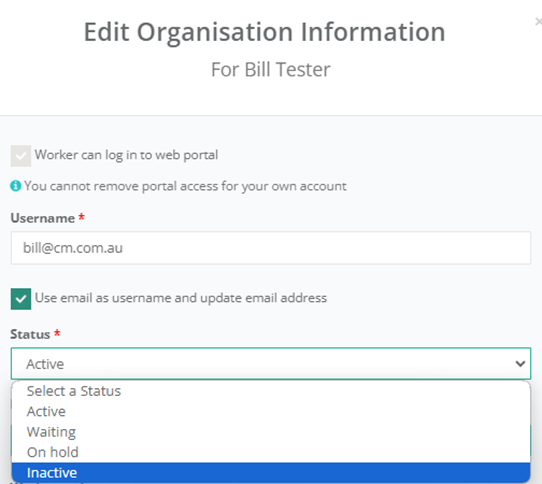
- In the "Status" drop field, change the workers status to Inactive. (see below)
- Save the Changes.
The process helps you maintain an accurate record of your workforce's history.
If you make the worker Inactive, it will also: