
How to run Reckon Payroll Export?
Required Setup Steps:
-
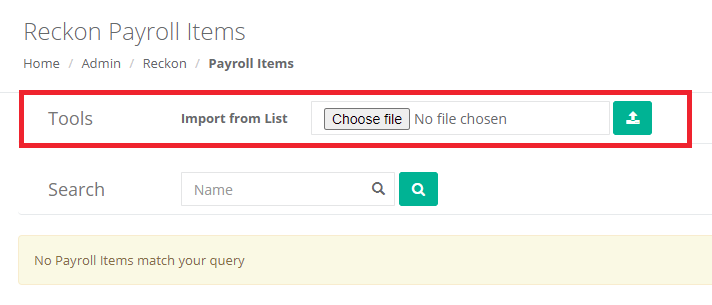
You will need to import a list of Payroll Items. You can do this by exporting a list from Reckon and then going to Admin → Integrations → Reckon → Payroll Items and using the Import From List function. Until these have been added, no rates will generate.
-
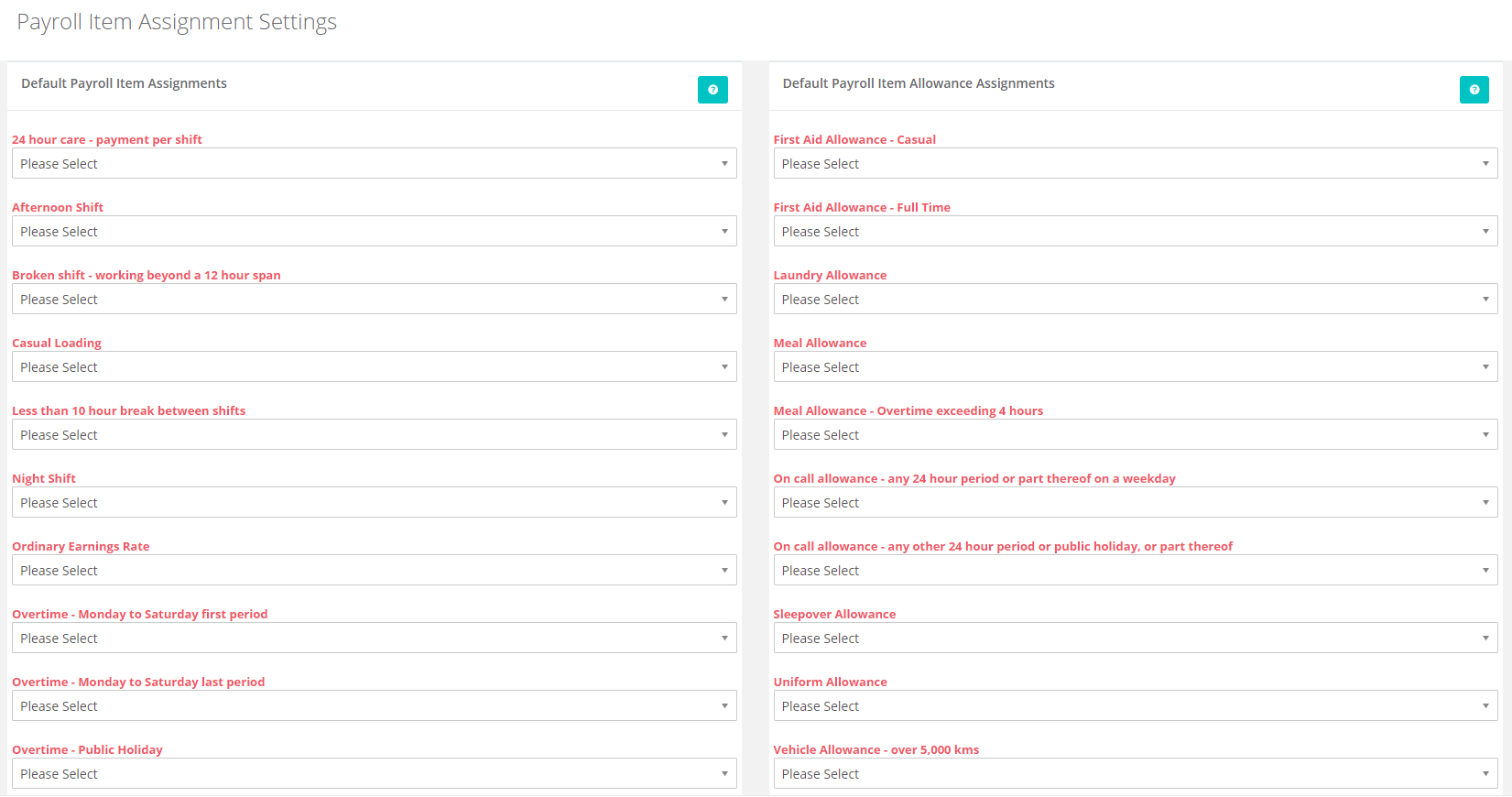
Once you have imported these payroll items, you will need to go to Admin → Integrations → Reckon → Settings and assign the payroll item assignments.
-
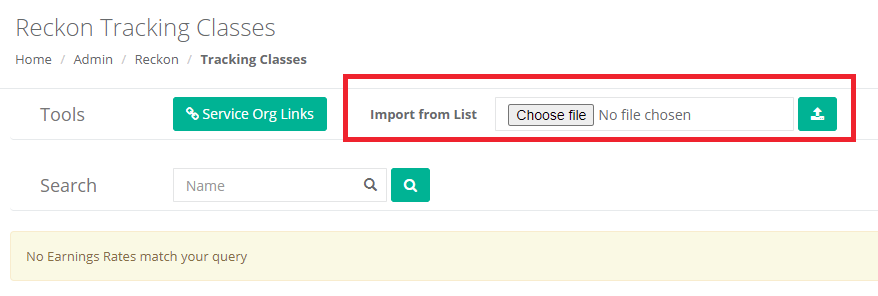
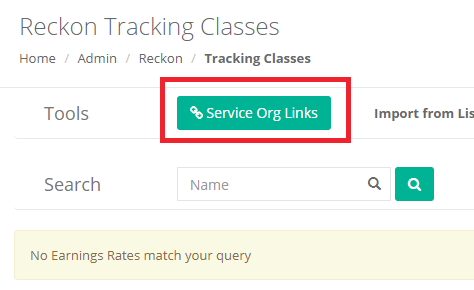
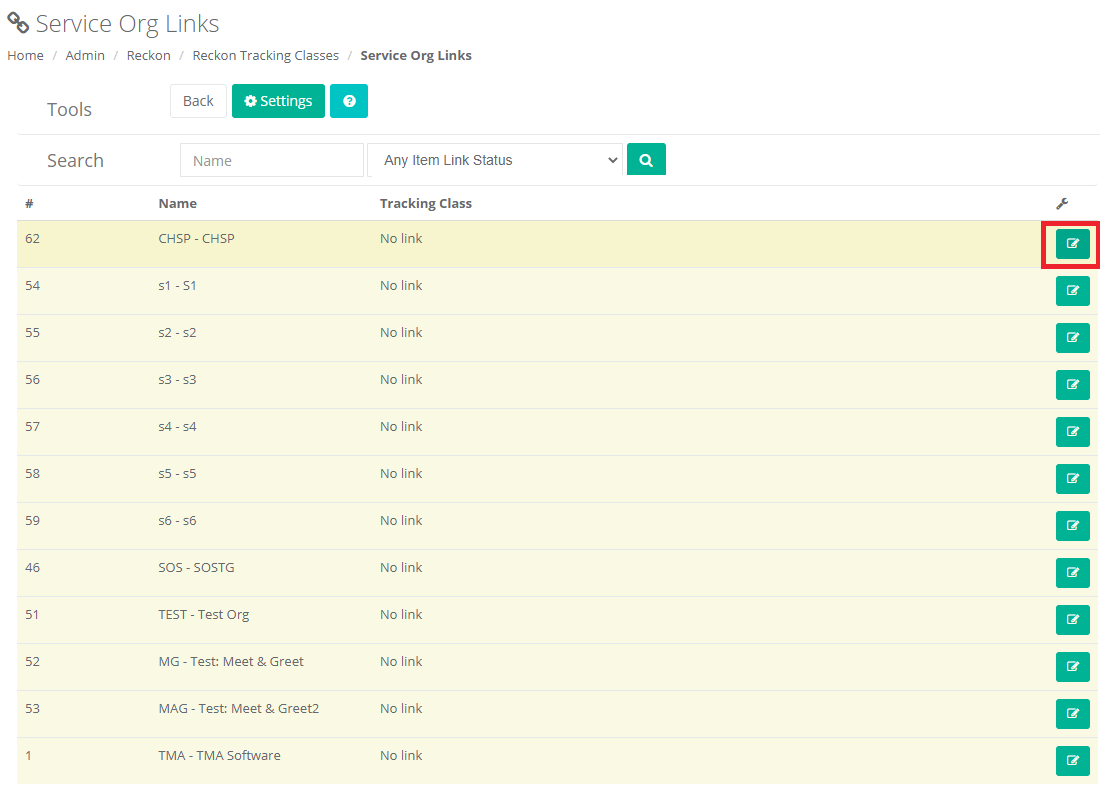
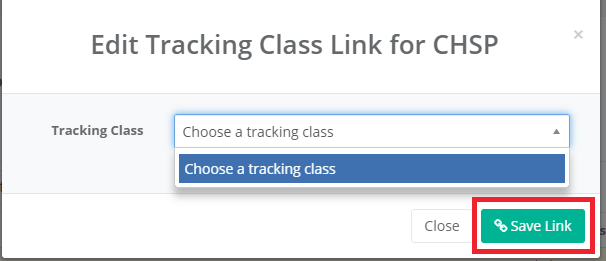
If you would like to use tracking classes, you will need to make sure that you have imported these and linked them by going to Admin → Integrations → Reckon → Tracking Classes. An export from Reckon and the Import From List functionality will import them, then you will need to use the Service Org Links button to assign the tracking classes to appropriate service organisations.
Generate Payroll IIF File:
Once you have set up the payroll items and assigned them, you can now go to Admin → Integrations → Reckon → Timesheets.
Select the payroll period you want to generate the file for and click on the Search icon.
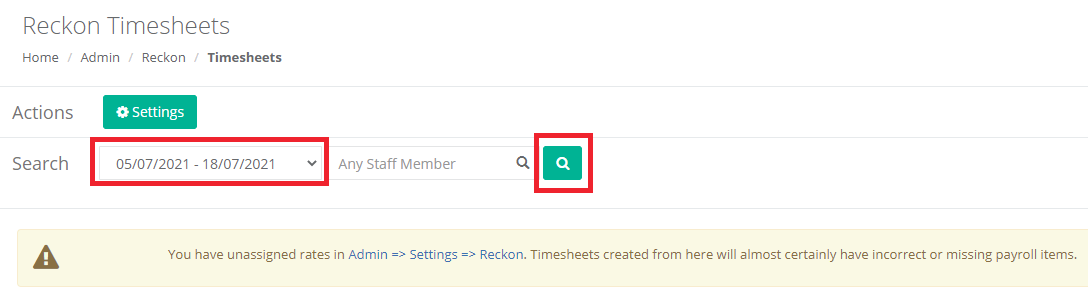
If you have any unassigned rates in the settings section, it will let you know that the timesheets may include missing or incorrect payroll items.
The summary section will contain a list of all workers and what will be included or excluded.

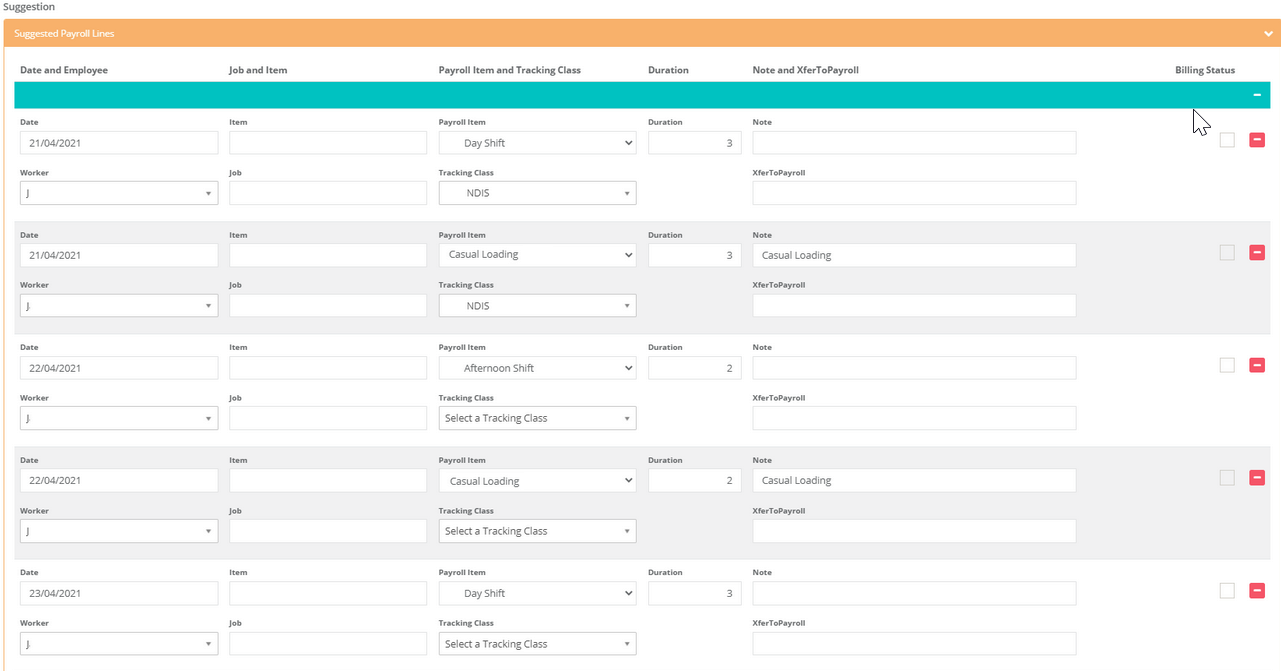
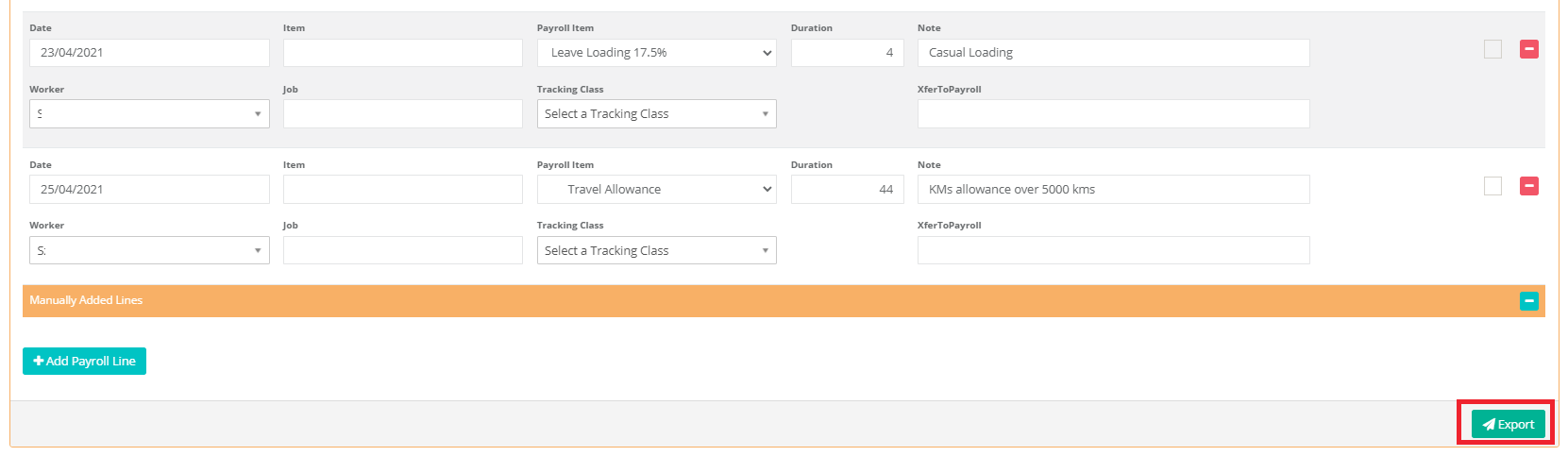
Underneath the summary is the suggested timesheets that will be included in the export. It will be sorted by Worker then date, you can also adjust whatever fields you like before export and also add any manual lines as required. Allowances will also be included.
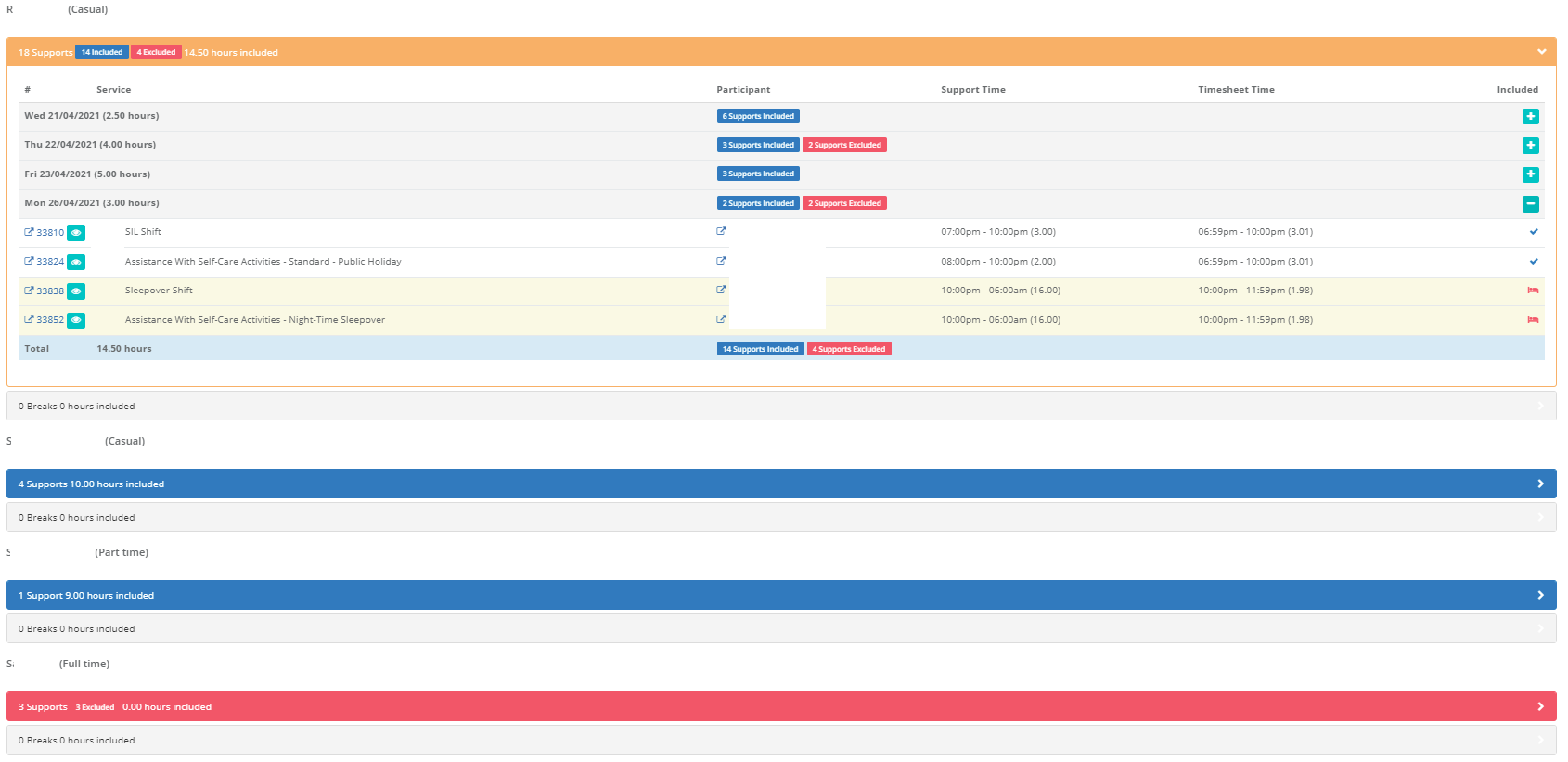
Underneath the Suggestion section, it will list each worker and all supports for the date range. This will allow you to see what has and hasn't been included and why so you can sort that out. We would recommend reviewing this section before exporting the file.
Workers highlighted in blue have all support included.
Workers highlighted in orange have some supports included.
Workers highlighted in red have no supports included.
Once you have reviewed all the timesheets, you can click on the Export button in the Suggestion section. It will generate the IIF file you can use to upload into Reckon.
You now have a file that you can import into Reckon. If you are unsure on how to do this, this page from the Reckon forum may assist: https://community.reckon.com/discussion/7902755/how-to-simple-steps-for-exporting-and-importing-lists-iif-from-reckon-accounts-desktop-and-hosted. Otherwise you will need to contact the Reckon support for assistance.