
User Guide: Xero Basic Timesheet Checklist
Preparation and Setup
\
Review Permissions – Sign in as Admin
Admin → Access Permissions
One off action - a System Administer will need to complete this process
\
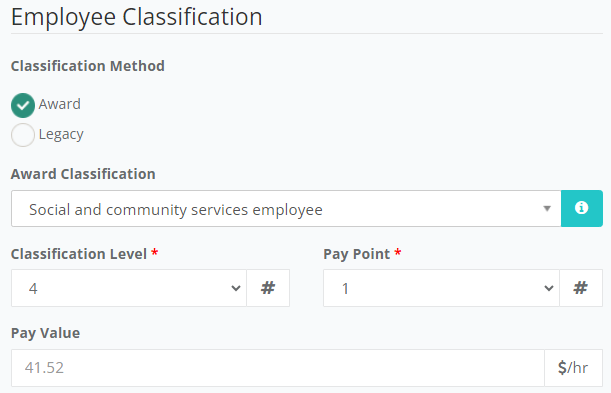
Employee Information Card setup with Pay Value
Staff/Volunteers → Employment Information
One off action - a System Administer will need to complete this process
Employment Basis
Employment Classification
Pay Band
Allowances i.e. First Aid

\
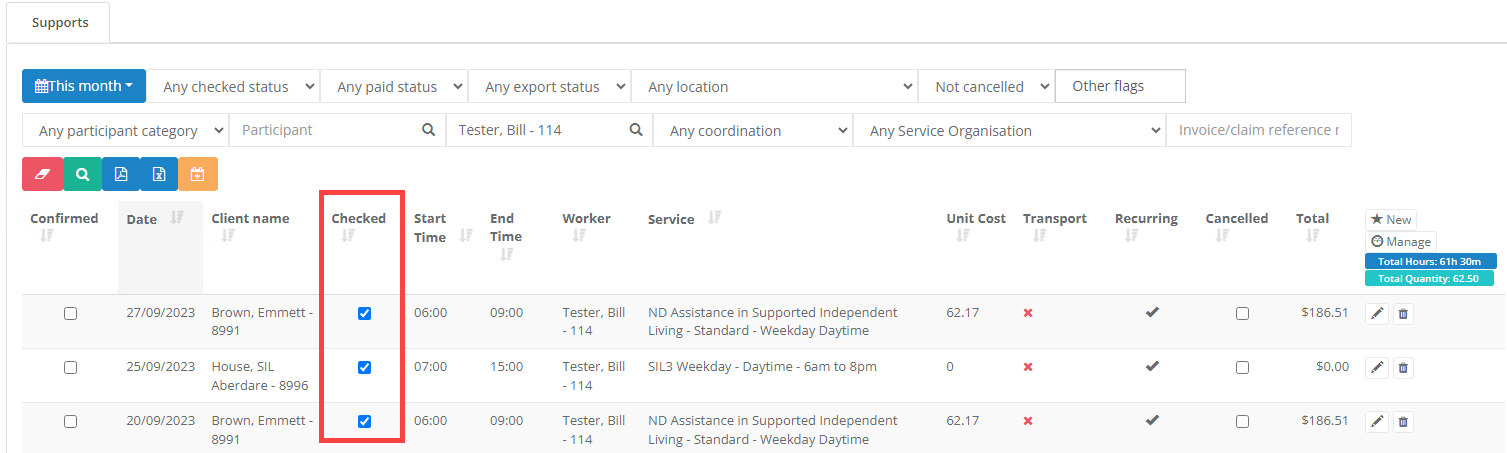
Review – Check Supports
Supports → All
Tick supports as Checked
\
Generate Missing Timesheets
Supports → All
Filter by date
Generate Missing Timesheets
\
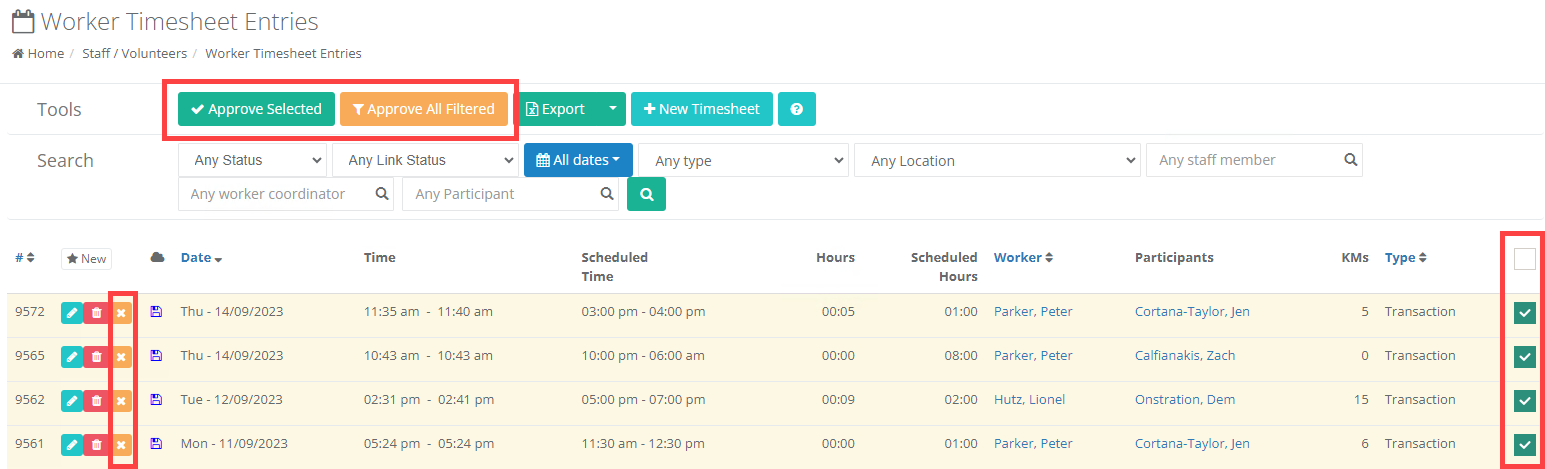
Approve Timesheets
Staff/Volunteers → Timesheets
Filter by date
Approve Selected or Approve All Filtered
\
Basic Timesheet
\
Basic Timesheets
Admin → Integrations → Xero → Basic Timesheets
Review Rate paid i.e. Supports between 9am and 8pm Monday to Friday should be paid under Ordinary Hours
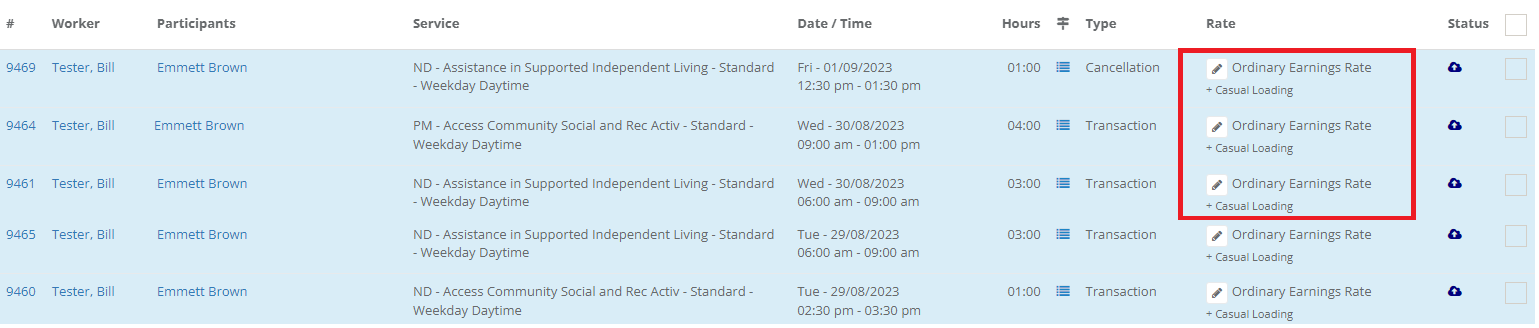
If an update is required, go to Admin → Integrations → Xero → Earning Rates - a System Administer will need to complete this process
\
Send to Xero
Select the Timesheets
Individually and Send Selected
Or Send All Pending
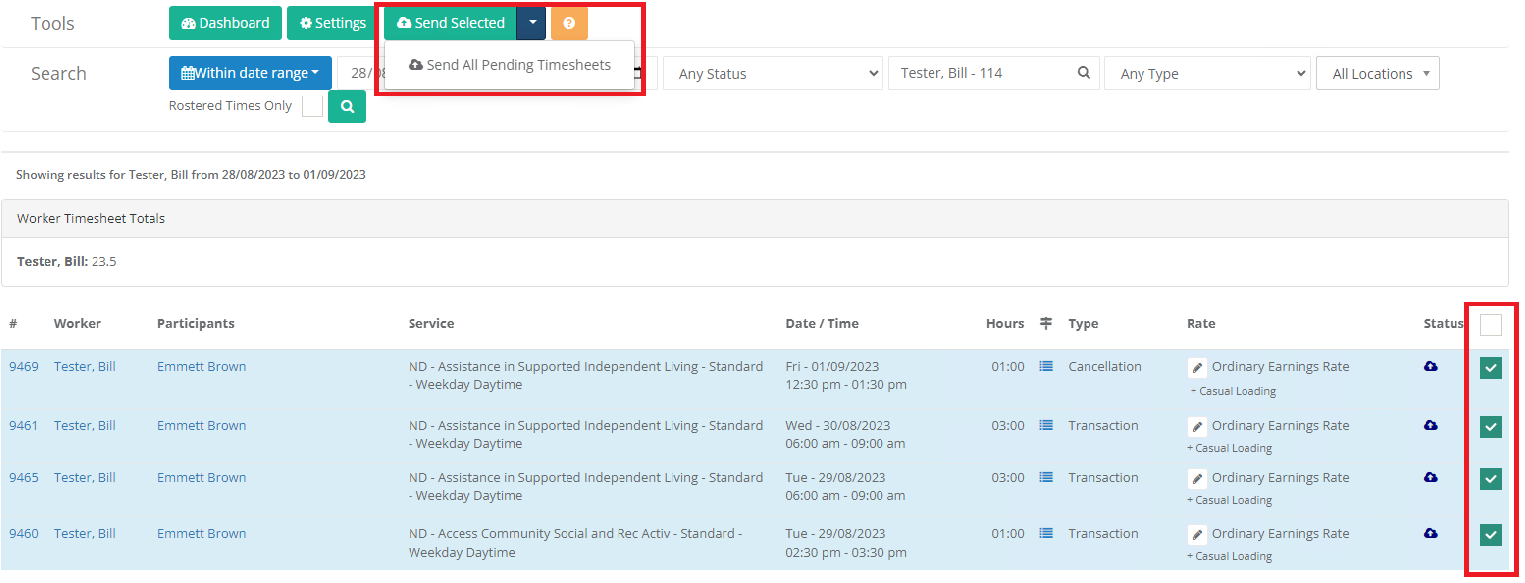
\
Login to Xero
\
Approve Timesheet in Xero
Review Timesheets and Approve
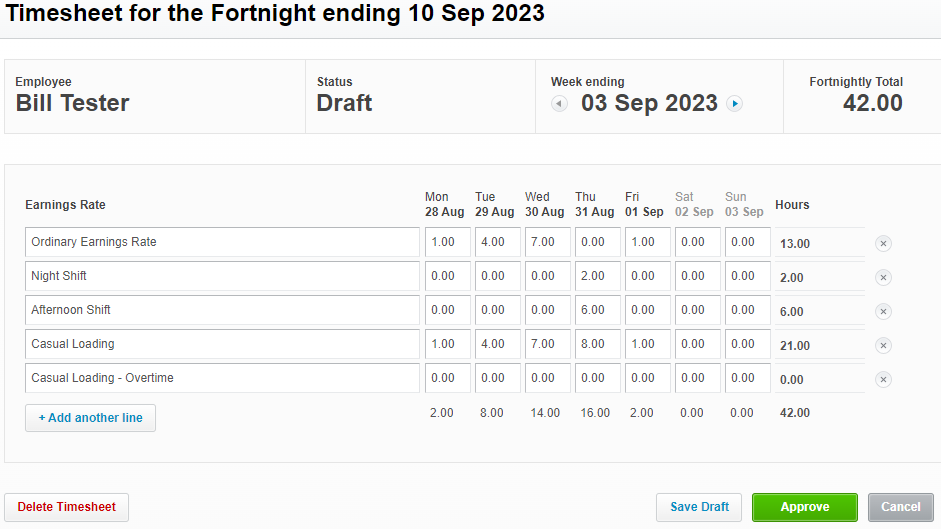
\
Login to CareMaster to add Allowances
Edit Draft Payrun
Admin → Integrations → Xero → Payrun and Allowances
Only Draft payruns can be edited

\
Suggest Allowances
Select each staff member, edit and click Suggest Allowances
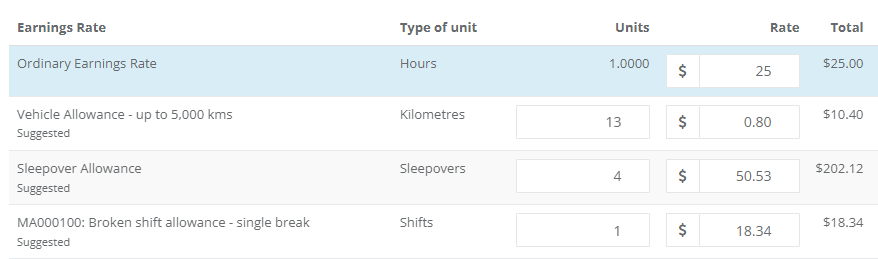
Then Save and repeat the process for all staff
If you are clicking Suggest Allowances and no allowances are being applied when they should be, \n - ensure data has been synced from Xero by clicking Update Data from Xero on the Xero Dashboard
- check the Earnings Rate Allowances Assignments are set under Admin > Integrations > Xero > Settings
- if the worker is not under an Award the allowances will need to be manually added.
- if the worker is under an award but not linked to an Award, they can be linked to the Award under the Employment Information section of the staff profile.
\
Post Payrun 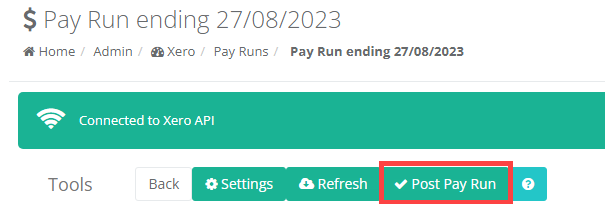
Press Post Pay Run in CareMaster or Xero