
Xero Payroll FAQ
How do sleepover timesheets get processed?
Sleepover timesheets look very similar to other timesheets in CareMaster until it comes to Xero payroll. Sleepover timesheets can behave only as allowances and won't be sent over like other hours/timesheets.
Every price line has a unit (eg Hours, Quantity, Week) that is used to charge for that particular line item. This information flows through to a support record after selecting a service, or line item, and is shown in the Charge By field in a support record. 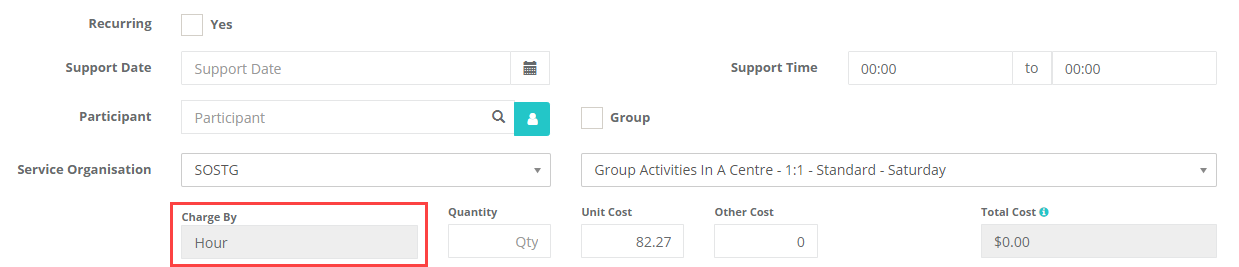
If the Charge By field is Each, the accompanying timesheet will be:
- Paid as an allowance, which is a flat rate for the evening regardless of the hours of the support.
- Not included with other timesheets when sent to Xero, and included in the process at the Allowances stage.
If the Charge By field is Hour, the accompanying timesheet will be:
- Included when sending timesheets across to Xero
- Not included in the Allowances stage of the pay run process.
If you want to pay workers for active overnight hours in addition to a sleepover, then you will need to make a support for that client that has an active overnight service and assign it to that worker then generate a timesheet for it.
To change the charge by field locate the Service in Admin > Service Organisation and edit the Service.
How do Earnings Rates work?
In almost all cases, its recommended that you use the default CareMaster options so your pays are calculated correctly. You can opt to use your own Earnings Rates, but note that CareMaster cannot apply any further calculations to calculate casual loadings or penalty rates.
If you're not seeing the rates on the 'Xero > Timesheets' page in CareMaster that you're expecting, check the following in CareMaster:
- In each worker record in CareMaster, go into the Employment Information section. Confirm that the correct employment basis has been selected, and using the 'Advanced Award Classification' tickbox check that there is a Pay Point and Level entered.
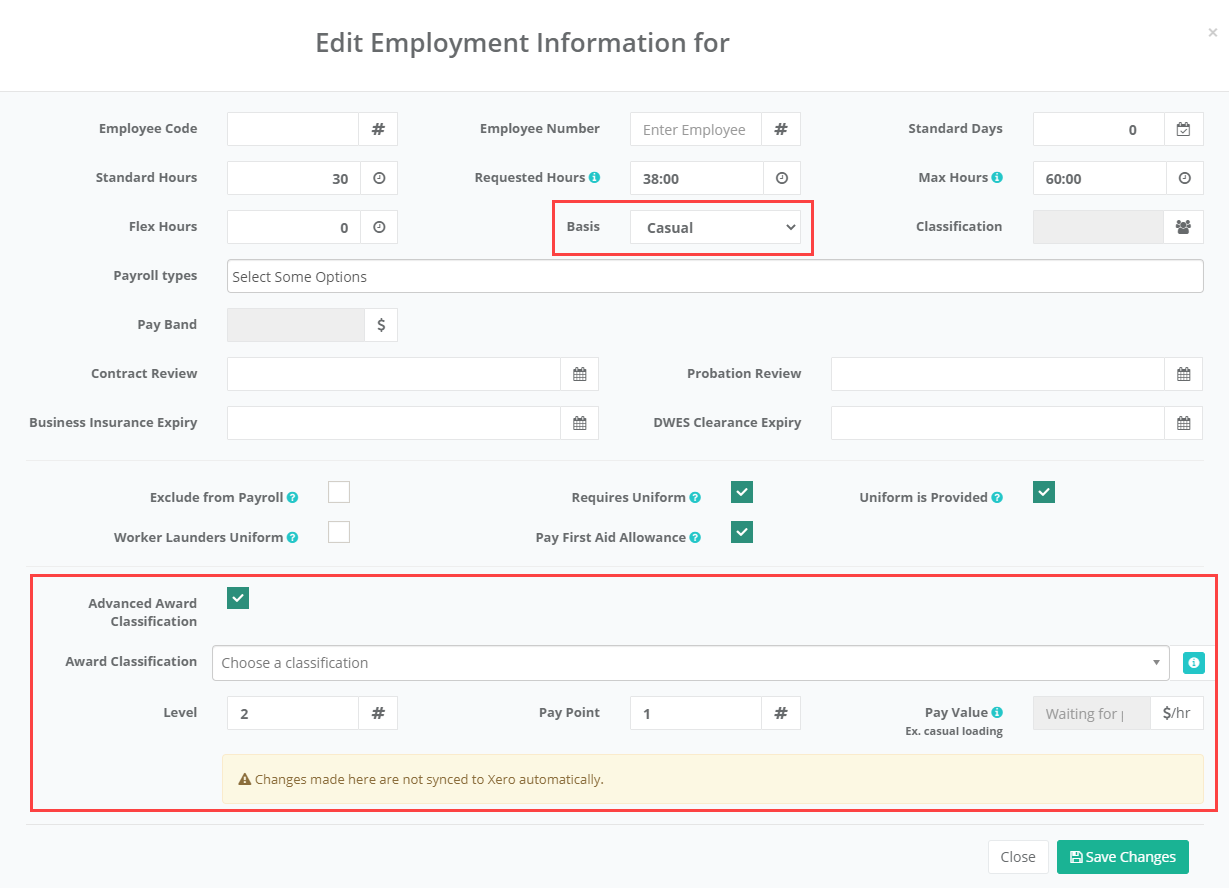
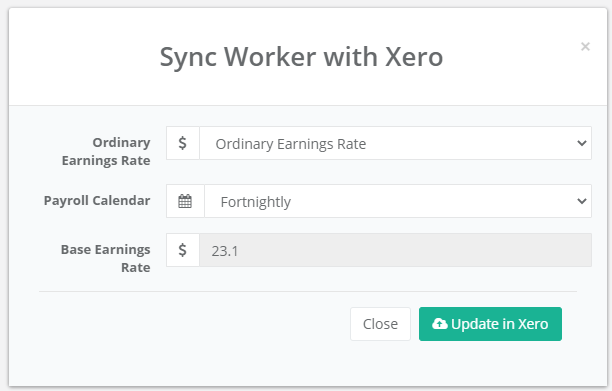
- In the worker record, under the Employment Information section click the 'Sync to Xero' button. In here you can specify an Earnings Rate, make sure that this is set to 'Ordinary Earnings Rate'. If you have made any changes to the employee record here, use the Sync button here so those changes are applied to the linked Employee record in Xero.
- In the Settings section of CareMaster, the first few settings include settings times for loading calculations. Make sure that these are set to what's in the screenshot below. If you wish for these times to be slightly different, check the Help icon for assistance.

- Go to 'Settings > Xero'. Scroll down until you see the Rate Assignment section on the bottom left. If you're connected to Xero, use the 'Generate' button to automatically select the default options. If you have already selected your own rates here, deselect them before using this button. This section makes sure that rates are multiplied correctly depending on the calendar day and time of a support.
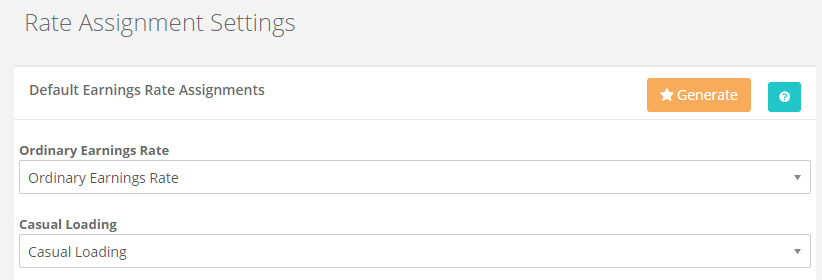
CareMaster will combine the options used to calculate the rate for a worker by getting their hourly rate, applying a 25% casual loading where needed, and using the calendar date and start/stop times of the support to apply any additional loadings as applicable.
Why is casual loading shown separately to the hourly rate on payslips?
When CareMaster sends across timesheet information to Xero, it sends across the casual loading separately to the base hours, meaning that it can appear as x2 the hours on a payslip at first glance. This is done according to FairWork information, which is that a payslip should include details of "..any loadings (including casual loading), allowances, bonuses, incentive-based payments, penalty rates or other paid entitlements that can be separated out from an employee’s ordinary hourly rate)...".
Why are the changes I have made in Xero not showing in CareMaster?
If you have made changes in Xero you will need to sync the data, This can be done from the Admin > Integrations > Xero > Dashboard. Here you can select “Update Data From Xero”
Why is the wrong rate being applied in Xero basic timesheets?
Check the custom Award settings under Settings > System Settings, click on the ? for an explanation of the setting. If there are no times set then the system uses the times as per the SCHADS Award.