
NDIS Claims uploads into CareMaster
CareMaster allows you to upload information from previous NDIS Exports, which will mark any included supports has having been paid. This is optional, but has the advantages of being able to more easily reconcile payments and financial information of your supports. The process for doing this is:
- Complete an NDIS Export from CareMaster, creating a bulk payment request csv file. Further instructions on doing this are here
- Upload this file into PRODA as normal
- A few days later, any applicable payments will be processed and you will receive a file in your Portal's Inbox, labelled 'Payee Payment Remittance Advice'. Click on the CSV button to download a csv copy. Please take note that this a separate file to a Payment Request, and that it can take some time for PRODA to generate after making an upload.

- In CareMaster, navigate to 'Admin > Claims Upload'.
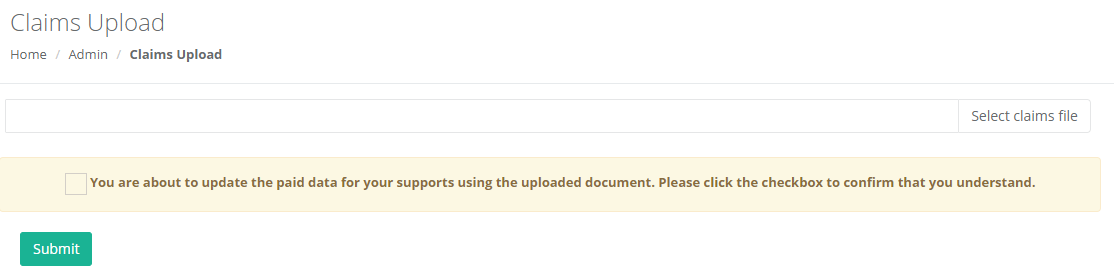
- Click on the 'Select claims file' button and select the file that you downloaded in the above step. The file must be exactly as it was after being downloaded from PRODA with no adjustments or resaving. Tick the box to acknowledge that you understand what this section does, and click Submit.
- You will receive either a confirmation message, or a message explaining any errors or problems with the uploaded file. Any errors with the file will likely be because the incorrect file was provided.
Further things to note:
- Ideally, the Remittance file uploaded directly correlates with a single bulk payment request that was generated from CareMaster. Having exactly the same date ranges throughout the whole process will make things a lot easier especially if there are multiple attempts.
- This can only be performed for NDIS Exports that were made after when this functionality was introduced, which was available as of January.
Lastly, it is possible to use this functionality to assist in performing any further exports from CareMaster in the event that there were issues with your initial upload where some events were claimed successfully and others were not. While it is possible to adjust the details of the errors files that PRODA provide and re-upload manually, this can be cumbersome to do for a large amount of supports and then won't match the data in CareMaster.
Please note that this is untested functionality. While its relatively safe in terms of data changes, please note that it is your responsibility to manage your data and that changes completed here are largely at your own risk.
- During the above process, the remittance file PRODA provide will only include supports that were claimed for successfully, meaning that only these supports will be marked as Paid in CareMaster.
- PRODA will have provided you with details of any supports that were unsuccessful, and why. Make any adjustments as applicable to your data in CareMaster to resolve these. Note that you can use the 'Not Paid' filter in the Supports section of CareMaster to filter for these supports.
- When ready to attempt another export on the NDIS Export page, we're wanting to include items that have been exported previously, but also haven't been marked as Paid using the Claims upload functionality. This means that the export should only include supports that were included in the last upload, but were rejected.

- Review the Preview carefully before running the export, and reattempting to upload this to PRODA.